There is an option in Lync2013 where we can enabled federation only to selected domains.
We can set this option where only these domains will be able to contact us .
In-order to do that perform the following steps
Open Lync Control Panel select “Federation & External Access”
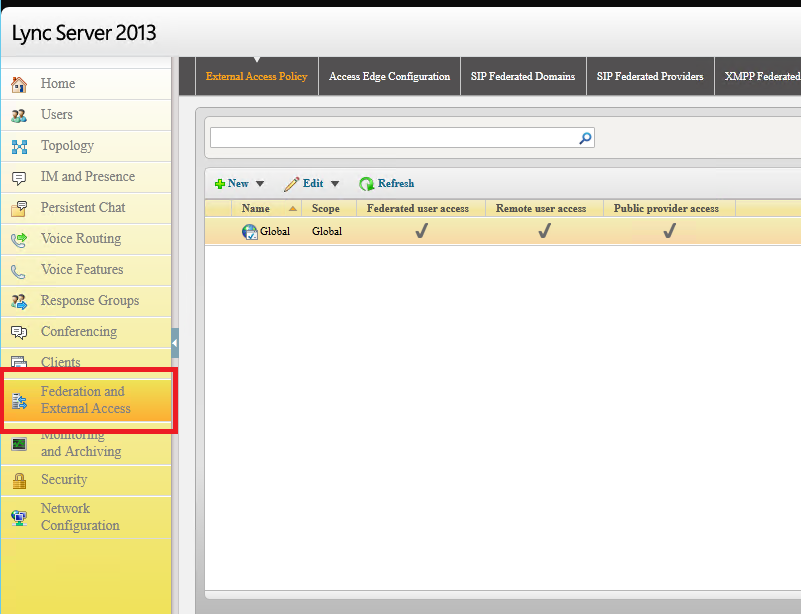
Navigate to SIP federated domains
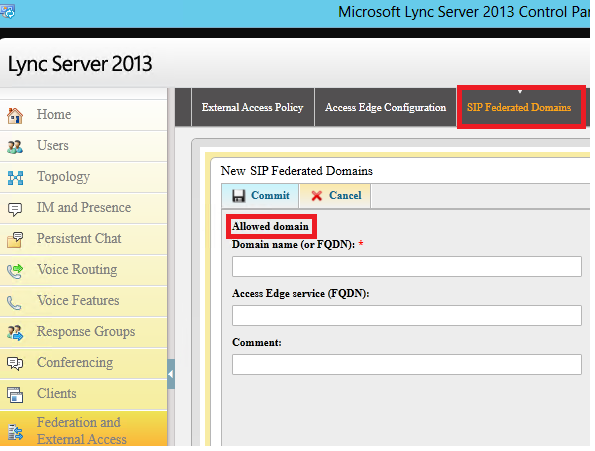
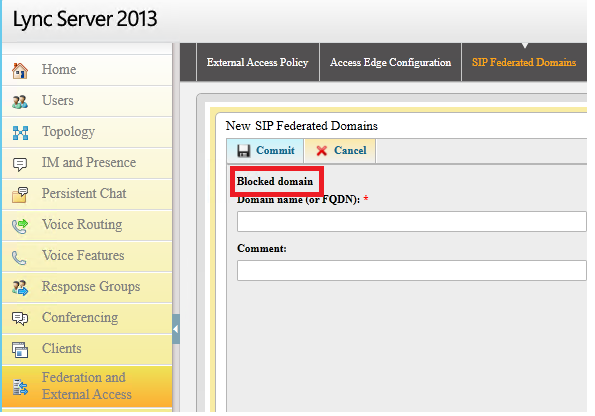
Here we have two options to allow specific domains and also we can block Specific domains.
Inorder to allow specific domains . Select Allow domains and add the domains that you want to have.
In-order to block the domains add the domains select block the domains and block them
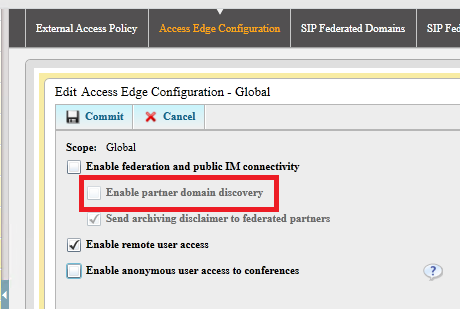
Also you need to keep in mind that if you want to have federation only with specific domains then you need to make sure that Enable Partner Domain Discovery option is unchecked which disables open federation.
Note :
By default, if you enable federation, it won’t allow other domains to connect to you except the domain that you add in Hosting Provider and Public IM Provider, Allowed Partner Domain and Federated Domains.
So you need to plan accordingly based upon your requirement.
Hope this article is helpful.
Thanks
Sathish Veerapandian
MVP – Exchange Server

