Tag: Microsoft 365

  • Securing Microsoft 365 Copilot Chat with Microsoft Purview DLP

    Securing Microsoft 365 Copilot Chat with Microsoft Purview DLP

    A practical guide to protecting sensitive prompts with policy controls

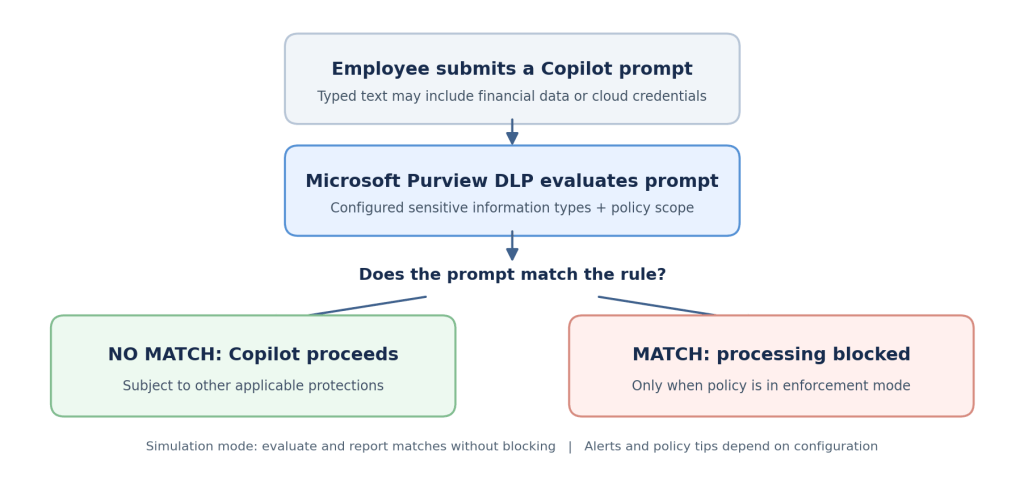
    As more organizations introduce Microsoft 365 Copilot Chat, employees are increasingly using conversational AI to solve everyday business problems. An innocent troubleshooting request or a request to summarize a financial transaction can become a security concern when the user includes confidential information in the prompt.

    Microsoft Purview Data Loss Prevention (DLP) helps security teams define what types of information should be restricted in supported Copilot prompts. This article explains the business need, the available safeguards, the prerequisites and a practical configuration completed in a demonstration tenant. It also describes how to validate the policy without confusing successful configuration with proven enforcement.

    Why organizations need controls for AI prompts

    The objective is not to stop employees from using AI. It is to apply the same information protection discipline that organizations already expect across email, files and collaboration tools to the way people interact with AI assistants.

    • Financial information: A user includes payment card data in a prompt while preparing a customer summary.
    • Cloud credentials: A developer pastes an application secret or a storage access key into a troubleshooting question.
    • Governance and compliance: Security teams need a documented approach to protecting regulated or confidential information.
    • User awareness: Clear guidance helps employees understand what information belongs in an approved AI workflow.

    A meaningful control must do more than exist in a policy list. It should have a defined scope, reliable detection conditions, an appropriate restriction action and evidence that its intended behavior has been tested.

    (more…)
  • Navigating DORA with Microsoft Purview: A compliance blueprint for Microsoft 365

    Digital Operational Resilience Act (DORA) is reshaping how EU financial entities manage ICT risk, resilience testing, incident reporting, and third‑party risk. If you run Microsoft 365, Microsoft Purview Compliance Manager gives you a practical way to translate DORA requirements into actions, evidence, and measurable progress. This guide walks through a clean, step‑by‑step implementation flow from setting up a DORA assessment to assigning improvement actions and tracking your score, so you can be audit ready without drowning in spreadsheets.

    Why use Microsoft Purview Compliance Manager for DORA ?

    • Prebuilt assessments: DORA assessment templates map regulatory articles to actionable controls you can assign and track.
    • Control mapping: Microsoft‑managed baselines and customer‑managed controls provide clarity on shared responsibility.
    • Improvement actions: Structured tasks with owners, due dates, and recommended steps create accountability.
    • Evidence management: Centralized artifacts (documents, links, screenshots) simplify audit preparation.
    • Real‑time scoring: Compliance scores help prioritize high‑risk gaps and demonstrate progress.

    Prerequisites and approach

    • Access: Ensure you have appropriate roles in Microsoft Purview (e.g., Compliance Manager Admin or similar).
    • Scope: Decide which services to cover first; start with Microsoft 365 for a focused rollout.
    • Vanilla setup: Use a fresh assessment group to avoid inherited noise and control drift.

    Quick Tip

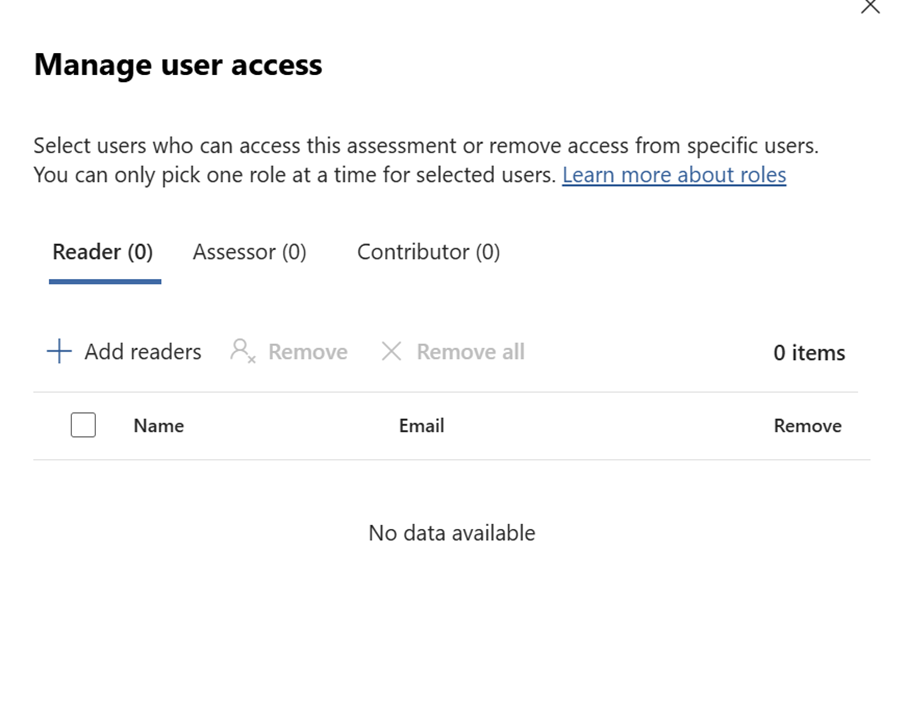
    Can also use the default user access options available from the Assesment option in the Compliance Manager Portal

    Step‑by‑step setup in Compliance Manager

    Create and configure your DORA assessment

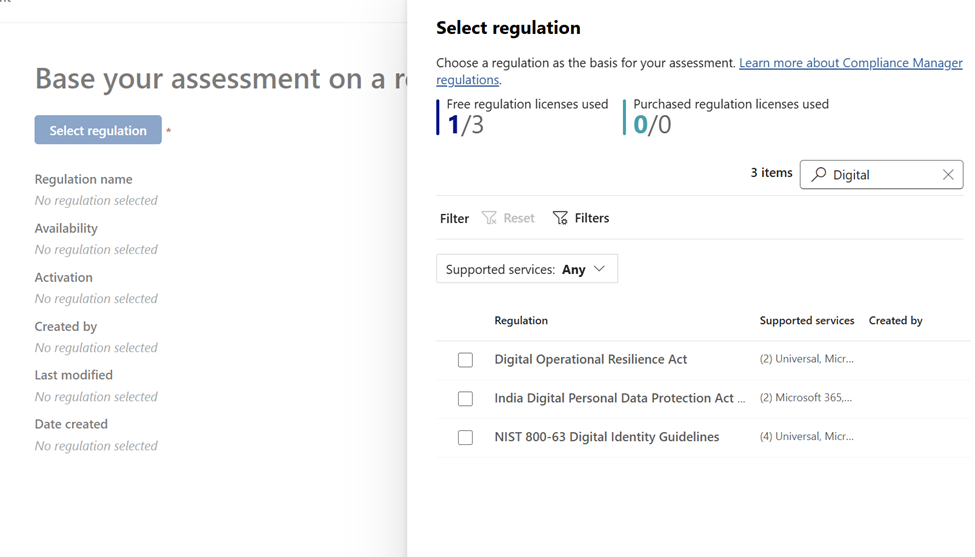
    • Open Purview: Go to Microsoft Purview portal → Compliance Manager – Navigate to assessment – Select Regulation
    • Find templates: Search for “Digital” under assessment templates. (I was not able to find with DORA :))
    (more…)