Steps to export/import enterprise vault archive mailbox as PST

In this article we will have a look at the steps to export/import the enterprise vault archive as a PST.

Log in to the Enterprise Vault server and open Enterprise vault admin console

Select the node and select the archives
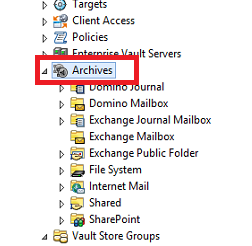
EV1


Now right click on the archives icon and you have an option to export and import as a PST/NSF files.

Now we will see the steps to export as PST.
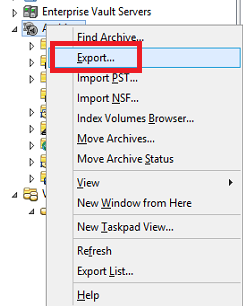
EV2


Now we have 3 options as shown below for the export of PST file

EV3


Now choose the archive mailbox for the export
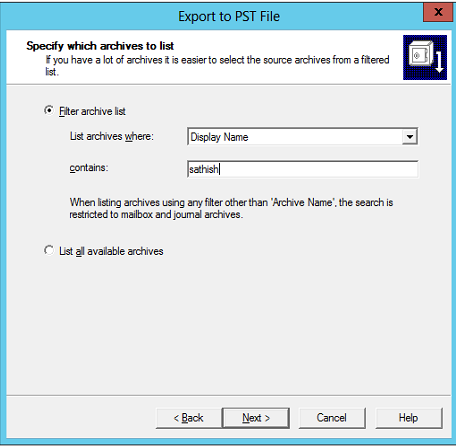
Ev4


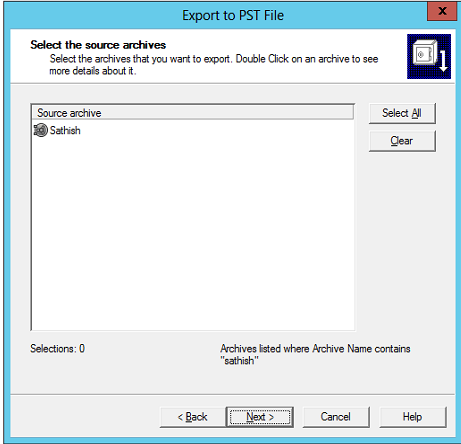
Select the source archive file

ev5


We have an option to export items in a specific date range which i find to be very useful

ev6


Choose the folder path and we have an option to split the PST files
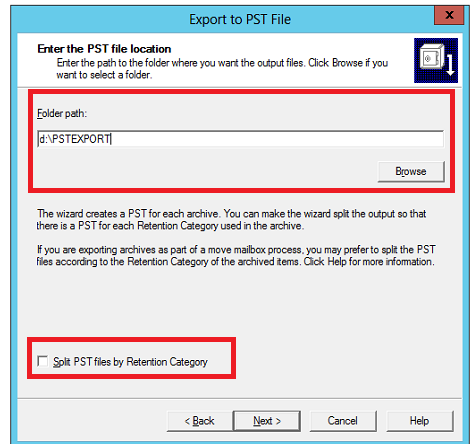
ev7


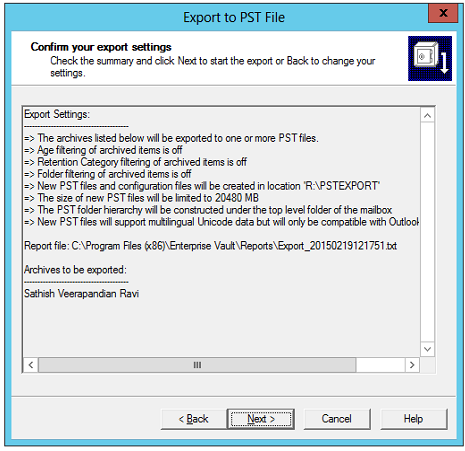
Confirm the PST export settings


ev9


Once we click on next we have the status of the export and


there is a report file of the export as well
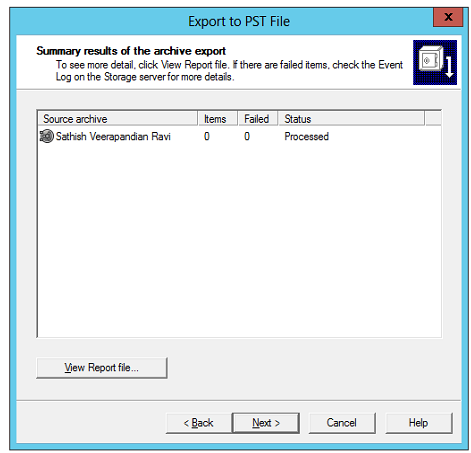
ev10


These steps  can be useful to export/import the PST to enterprise vault archive for the end users.

Hope this helps.

Thanks

Sathish Veerapandian

Comments

14 responses to “Steps to export/import enterprise vault archive mailbox as PST”

  1. sale online Avatar

    Fabulous, what a webpage it is! This weblog gives useful
    information to us, keep it up.

    Like

  2. asus77x Avatar

    how to import from pst to ev?

    Like

    1. sathishveerapandian Avatar

      There is an option to import your PST files to your EV archive

      Like

  3. Raja Chinnadurai Avatar
    Raja Chinnadurai

    is there any script is available to import single mail to multiple EV accounts?

    Like

    1. sathishveerapandian Avatar

      I don’t think so its possible do perform that. If you find any options like that feel free to post your answers

      Like

  4. Syed Talib Avatar
    Syed Talib

    What if exchange server already decommissioned , still possible to export?

    Like

    1. sathishveerapandian Avatar

      Hi Syed haven’t tried this option.Ideally the EV will be dead for new archive jobs but still the PST export of the existing archives should work.

      Like

    2. sathishveerapandian Avatar

      Yes EV Export can be done from Vault admin console since EV data resides in data stores

      Like

  5. Sam Shell Avatar
    Sam Shell

    How we can export Journal Data from EV?

    Like

    1. Sathish Veerapandian Avatar

      Thats a very good question, however i haven’t played around on exporting Journal Data from the Enterprise Vault.

      Like

  6. Girish Avatar
    Girish

    Hi Sathish, I am facing issue while importing pst, its giving error “there are no archives in the vault store” any suggestion on this. please help

    Like

    1. Sathish Veerapandian Avatar

      May be you need to choose the correct archive EV store during the import process ?

      Like

  7. Muhammad Avatar
    Muhammad

    Hi Sathish, i am getting error in Event log, An unsupported version of Microsoft Exchange Server has been detected, and some events that Exchange Server not available.
    If Exchange on-prem is decommission or not accessible, how can we still do export?
    Thanks

    Like

    1. Sathish Veerapandian Avatar

      Hi Muhammad,

      Thanks for reaching me out.
      Unfortunately i havent come across this situation. May be you can check with the Veritas support

      Like

Leave a Reply

This site uses Akismet to reduce spam. Learn how your comment data is processed.