I built a small AI Governance Control Center to explore application inventory, granted permissions, and control assessments. Here is what the working Entra ID integration can show today and what still needs evidence before calling it an AI governance finding.
AI governance becomes difficult when an organization has to answer several questions at once: Which applications and agents exist? What permissions have they been granted? What data can they reach? Which safeguards are actually in place?
I wanted a simple workspace to explore those questions. The result is an AI Governance Control Center prototype with two clearly separated parts: an interactive sample assessment and a live, read only inventory from my test Microsoft Entra ID tenant.
The separation matters. An Entra application inventory is useful evidence about identity and permissions. It does not, on its own, prove that an application is an AI agent, that it accessed confidential data, or that a content safety control is enabled.
What the prototype does today
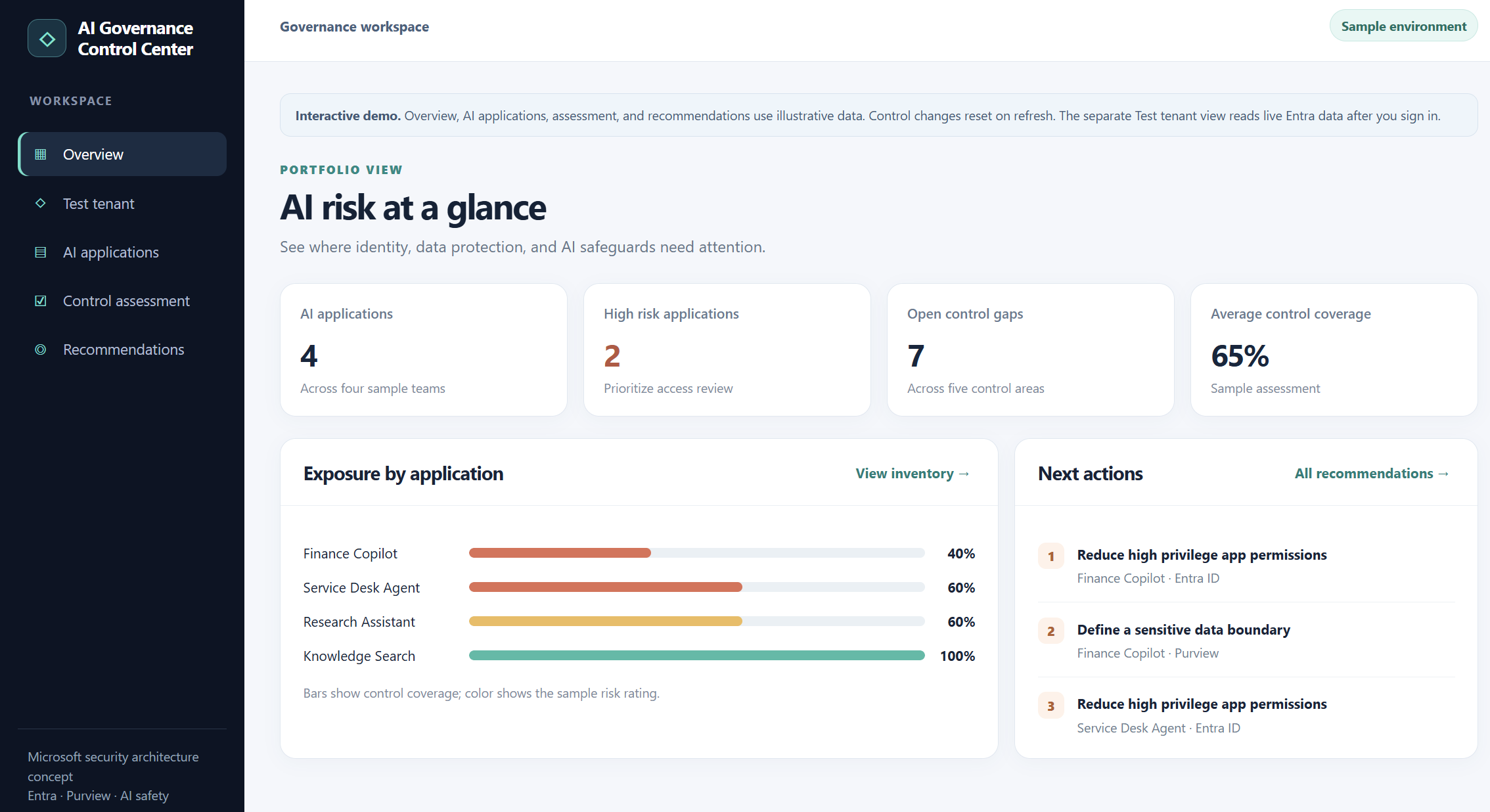
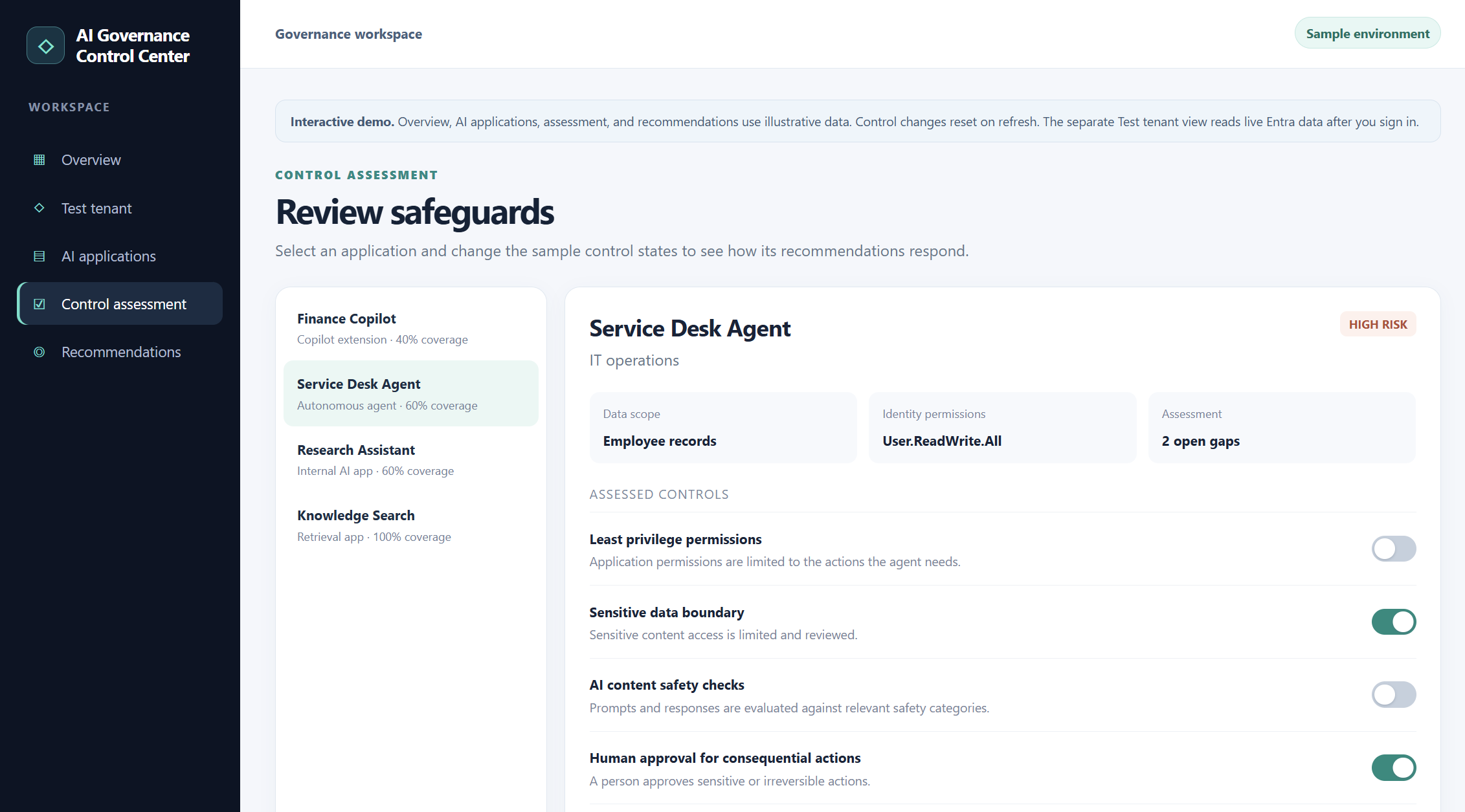
The sample workspace has an overview, an AI application list, a control assessment, and prioritized recommendations. You can switch illustrative controls on or off and watch the sample coverage score and recommendations change. These records and scores are demonstration data, not findings from my tenant.
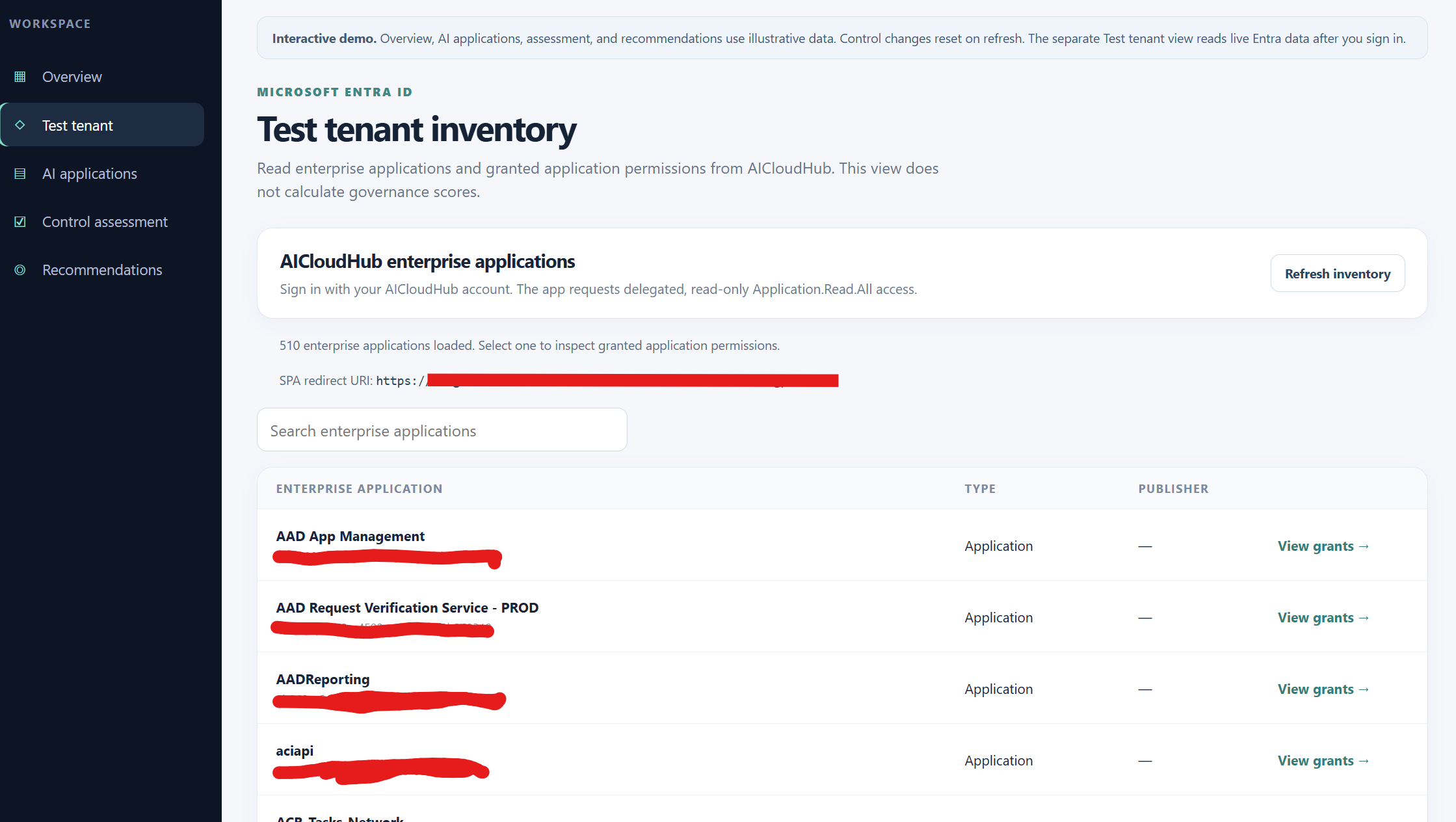
The separate Test tenant view signs me into my own Entra tenant and calls Microsoft Graph. It lists enterprise applications, supports searching by application name or client ID, and lets me inspect the application permissions granted to a selected service principal. In my test, the sign-in and inventory retrieval worked against the tenant.
“Illustrative dashboard and control scores; no live risk assessment is implied.”
“Read only enterprise application inventory returned by Microsoft Graph.”
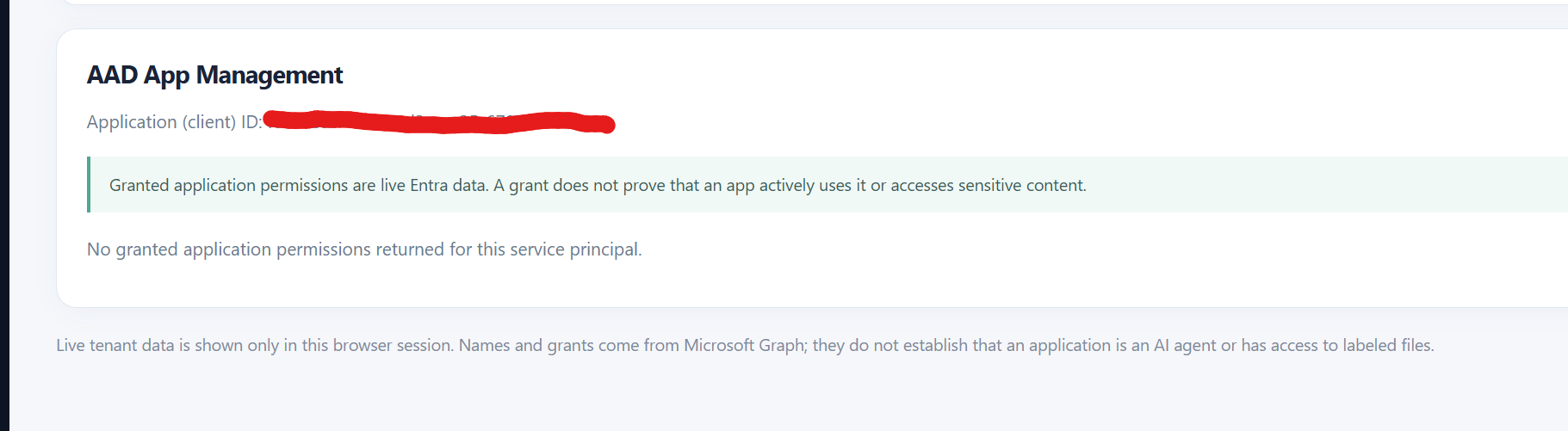
“Permission grants are evidence for review, not proof that a permission was used.”
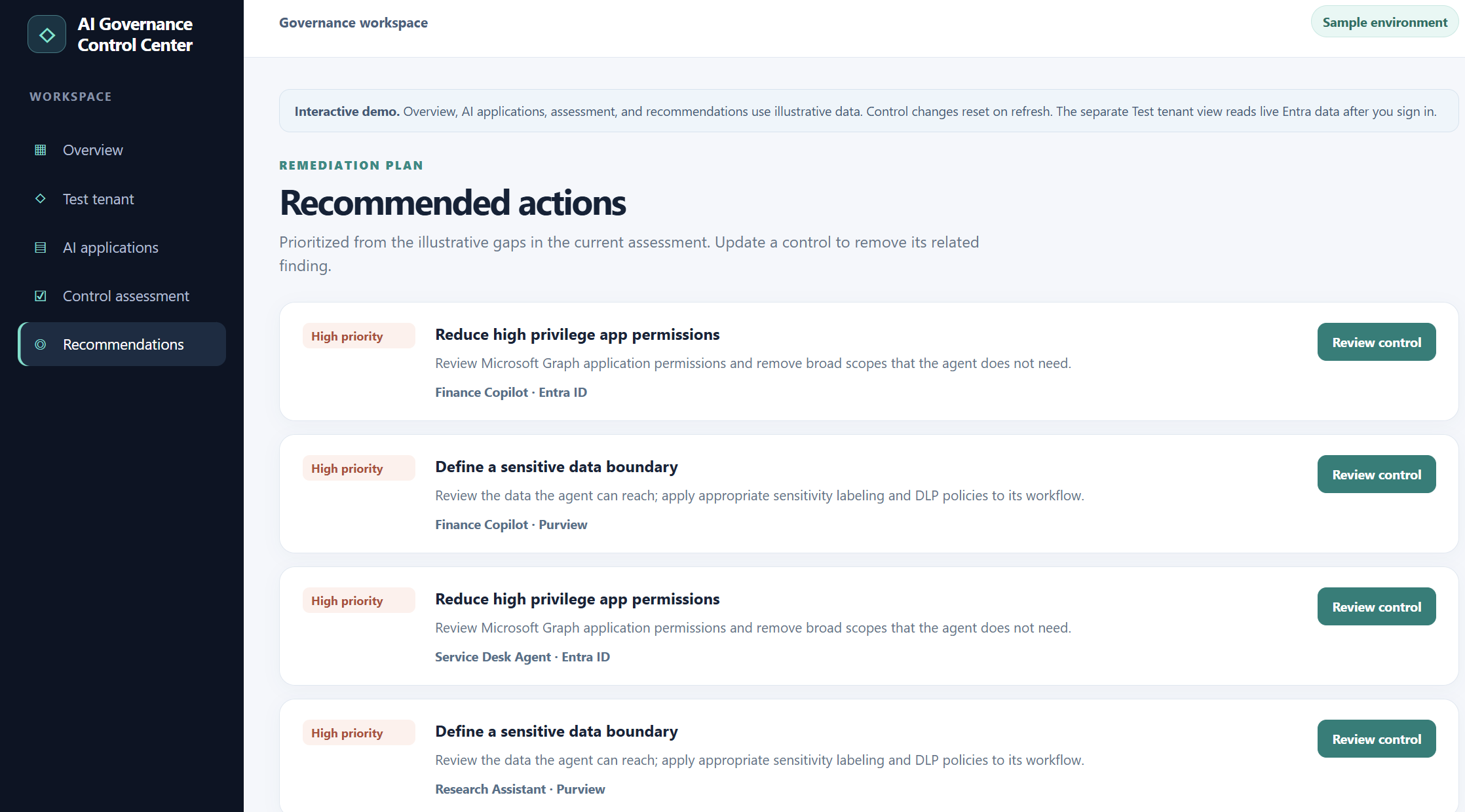
I’m now exploring additional capabilities to help teams identify AI applications, verify controls, and govern their use with stronger evidence. Something like below
Interactive sample assessment: control states, coverage, and risk labels are illustrative and are not findings from the connected tenant. It would be nice if we could get an inventory like this and have the toggle switch to have the required control assessment like below.
How the Entra connection works
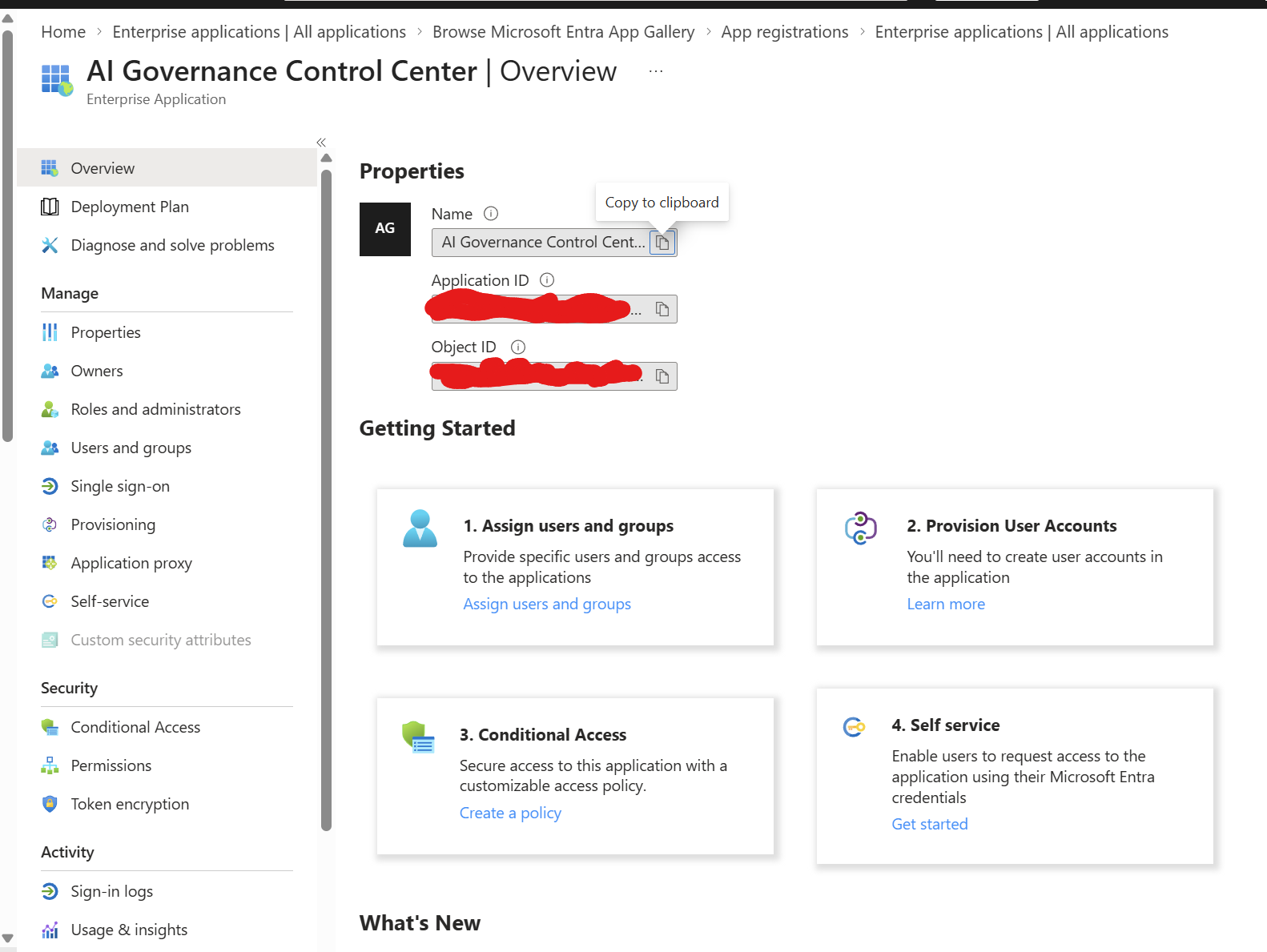
I registered a single tenant application in the test tenant and configured a single page application redirect URI. The browser uses the Microsoft Authentication Library (MSAL) for sign in and requests the delegated Microsoft Graph permission Application.Read.All. There is no client secret in the browser application. (Interactive delegated)
The current flow is:
I open the private prototype and select Test tenant.
Microsoft Entra ID authenticates my test account and returns it to the application.
MSAL obtains a Graph access token for the consented delegated scope.
The browser requests GET /v1.0/servicePrincipals to populate the enterprise application inventory.
When I select an application, it requests GET /v1.0/servicePrincipals/{id}/appRoleAssignments to show its granted application permissions.
The token is cached in browser session storage, and the live inventory is held in page memory for the session. The current application code sends the Graph request directly from the browser to Microsoft Graph. It does not call an OpenAI model with the inventory.
Microsoft documents Application.Read.All as the least privileged Graph permission for listing service principals and reading their app role assignments. Delegated permission also means the signed in user’s Entra role and the tenant’s consent policy remain relevant. For a company deployment, an administrator should review the requested permission and hosting arrangement before granting consent.
What this inventory does and does not tell us
Microsoft Entra enterprise applications are service principals. A tenant can contain many of them, including Microsoft services and ordinary business apps. The number returned by Graph is not the number of AI applications or agents.
Likewise, an app role assignment records an application permission grant. It does not prove that the application used the permission, and this view does not yet enumerate delegated OAuth consent grants. The current prototype does not inspect sign-in activity, workload behavior, or an application’s actual data paths.
That distinction is particularly important for Microsoft Purview. The sample dashboard includes a “sensitive data boundary” control, but the live tenant integration currently has no Purview data-access assessment. Reading label definitions alone would not tell us which labeled files an agent could retrieve.
For now, I would use the tenant view to start an investigation: find a candidate application, review its granted permissions, speak with its owner, and collect evidence of its purpose and data access before assigning a risk rating.
Where ChatGPT Enterprise fits
This prototype is hosted as a private web application on a chatgpt.site address. That does not make it a ChatGPT Enterprise deployment or an enterprise connector. The Entra sign in described above authenticates users to this application so it can read Microsoft Graph.
There are separate enterprise integration paths:
An organization can use Microsoft Entra ID as the identity provider for ChatGPT Enterprise SSO and use SCIM to manage eligible workspace users. That controls access to ChatGPT; it does not automatically connect this governance dashboard to Graph.
OpenAI provides specific Microsoft connected ChatGPT apps, such as SharePoint, with their own administrator settings and Microsoft permissions. Those serve different use cases from this Entra application inventory.
If a company wants a conversational interface for this governance use case, it could put an approved API in front of its assessment data and evaluate a custom ChatGPT integration. The API, Graph permissions, data handling, and workspace controls would need a separate design review.
For a company owned implementation, I would first host the governance application in the organization’s approved environment, keep the Entra registration and consent under its control, add access controls and audit logging, and decide exactly which evidence may leave the tenant. ChatGPT Enterprise is an optional interface choice, not a requirement for the inventory itself.
Next steps
The first useful improvement is a way to identify and tag actual AI applications from the broader enterprise inventory. After that, I would add evidence-backed assessment fields: owner, purpose, data sources, granted permissions, human approval, monitoring, and the date each control was verified.
Purview and AI safety integrations can follow where the relevant APIs and telemetry support a specific question. I would keep a visible distinction between observed evidence, manual assessment, and recommendation. A score should never look more authoritative than its underlying data.
This prototype is a useful starting point: it makes Entra inventory and permission grants easy to explore, while keeping sample governance ideas separate from live tenant facts. That is the foundation I want to build on.


Leave a Reply