Passwordless authentication is becoming the new standard for modern identity security.
Windows Hello for Business already replaces passwords with biometrics and PINs but convenience alone doesn’t guarantee strong protection against credential theft.
This is where Windows Hello Enhanced Sign in Security (ESS) comes in.
ESS is a hardened, hardware backed mode of Windows Hello that ensures your authentication keys are protected inside the device’s secure enclave.
Even if malware is running, even if attackers gain local access, ESS prevents credential extraction and replay attacks.
What ESS Actually Does ?
ESS enforces:
- TPM backed asymmetric keys
- Hardware based isolation
- Secure key release
- Anti spoofing protections
- Replay and credential theft resistance
In simple terms:
Your PIN or biometric unlocks a secure enclave, and the private key never leaves the TPM.
This makes ESS resistant to:
- Token theft
- Credential replay
- Malware based credential extraction
- Phishing
- Man in the middle attacks
Why ESS Matters for Enterprises
ESS strengthens:
- Device identity
- Authentication integrity
- Conditional Access signals
- Credential Guard protections
- Insider risk detection
- Copilot DLP governance
It’s a foundational Zero Trust capability.
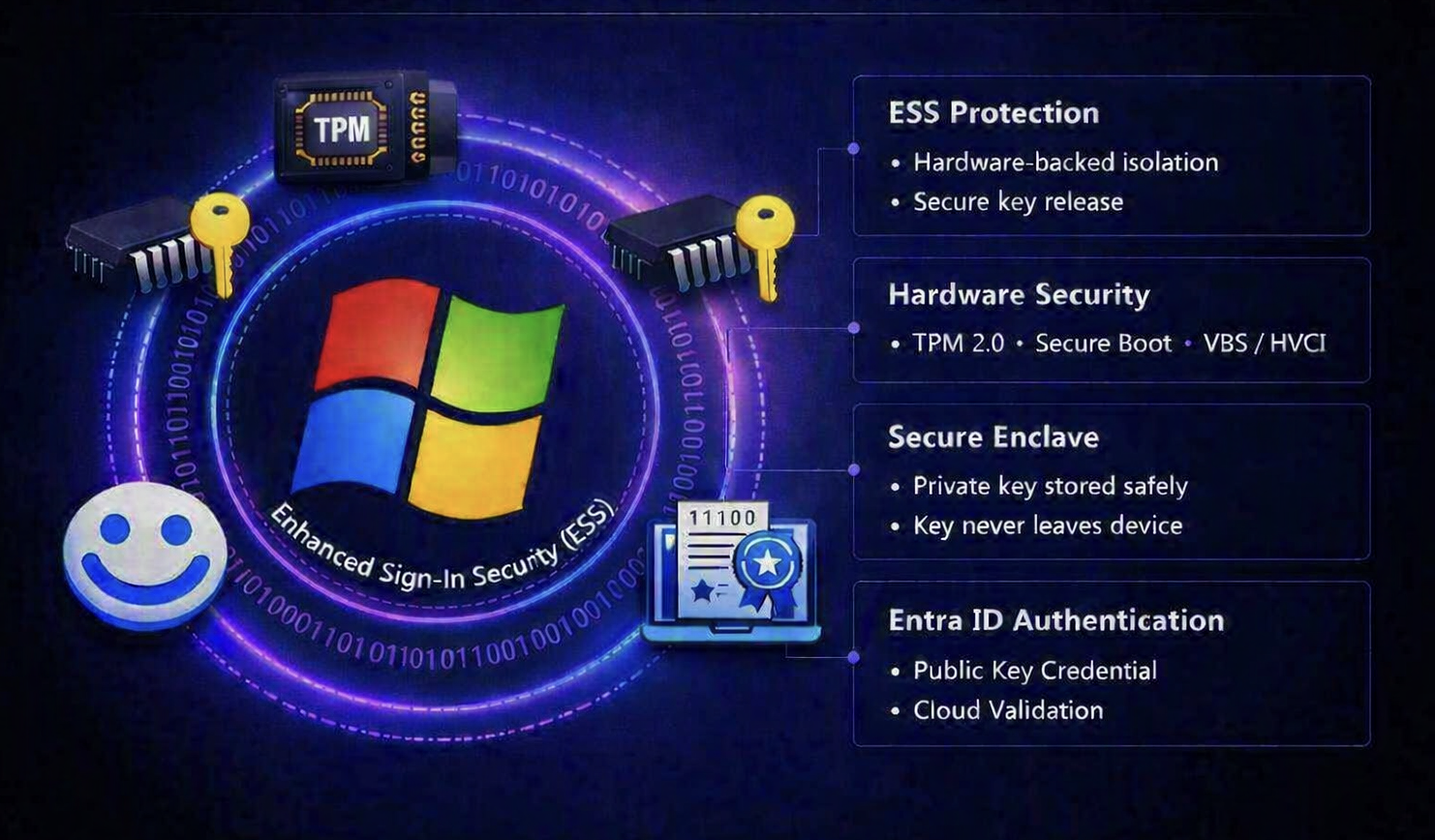
What this diagram shows
- Windows Hello verifies the user (PIN/biometric).
- ESS ensures the key is only released inside a secure enclave.
- TPM, Secure Boot, and VBS form the hardware security foundation.
- The private key never leaves the TPM.
- The public key is stored in Entra ID as a certificate.
- Entra ID validates the key based sign in and issues tokens.
How ESS Is Enabled
There is no ESS toggle in Intune or Group Policy.
ESS activates automatically when:
- Windows Hello for Business is enabled
- TPM 2.0 is available
- Secure Boot is enabled
- VBS/HVCI is active
- The device is Entra ID or Hybrid joined
- Hardware isolation requirements are met
Intune configures Windows Hello not ESS directly.
How to Verify ESS
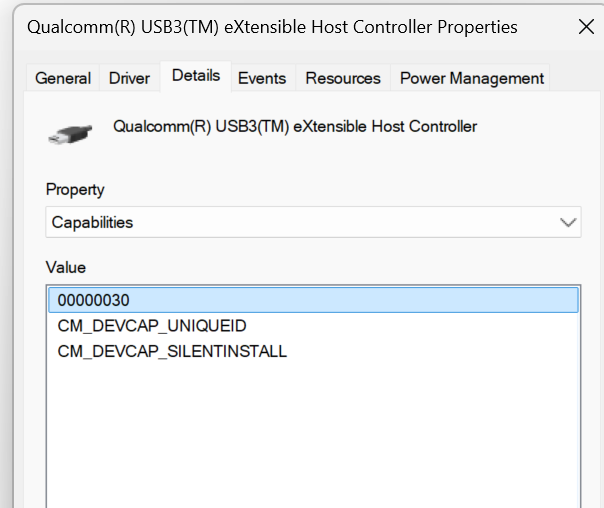
To check if the camera module is ESS capable
Open Device Manager, expand Universal Serial Bus controllers, then right‑click the entry labeled eXtensible Host Controller and choose Properties to view its details.
Switch to the Details tab, choose Capabilities from the Property dropdown, and look infornation that lists CM_DEVCAP_SECUREDEVICE in its capability set.
In my case im checking it on a device that is not compatible and hence the value CM_DEVCAP_SECUREDEVICE is not shown
Windows Settings
Settings → Accounts → Sign-in options → Windows Hello Look for Enhanced Sign in Security.

When the toggle is Off, ESS is active, which means external peripherals can’t be used for Windows Hello sign‑in. You can still use those peripherals inside apps such as Teams.
When the toggle is On, ESS is turned off, allowing Windows Hello‑compatible external peripherals to be used for sign‑in.
Event Viewer
ESS logs appear under:
Event Viewer → Applications and Services Logs → Microsoft → Windows → Authentication → ProtectedUserLogon
Look for events showing:
- PUX (Protected User Experience)
- Hardware‑isolated key release
- ESS secure path
Entra ID Sign in Logs
Shows Key based authentication.
Under Authentication Details, look for:
- Credential Source: Hardware Protected Key
- Key Type: Enhanced Sign‑in Security
- No fallback to software key broker
Difference Between Windows Hello for Business (WHfB) and Enhanced Sign‑in Security (ESS)
This is the technical view comparison between both of them
| Aspect | WHfB Only | WHfB with ESS Enabled |
|---|---|---|
| Key Storage | Stored in TPM but accessible via OS layer | Isolated inside a secure enclave protected by hardware-backed virtualization |
| Credential Release | OS mediates key usage | Hardware isolation ensures key release only through trusted path |
| Attack Resistance | Protects against password theft | Adds protection against replay, token theft, and malware credential extraction |
| Security Boundary | Software + TPM | Hardware + VBS + Secure Boot + TPM |
| Provisioning Trigger | Enabled via Intune or Group Policy | Automatically activates when device meets ESS prerequisites |
Conclusion
Windows Hello Enhanced Sign in Security is one of the most important yet most overlooked features in Windows 11.
It delivers hardware backed protection, strengthens passwordless authentication, and supports Zero Trust strategies without impacting user experience.
Think of WHfB as locking your front door with a strong key safe, but if someone breaks the doorframe, they might still get in.
ESS, on the other hand, adds a steel vault behind that door. Even if malware tries to steal your digital key, it can’t reach it the key lives inside a protected chip zone that never exposes it to the operating system.
So, with ESS enabled, your signin isn’t just passwordless it’s hardware shielded, tamperproof, and phishing resistant
If your organization is serious about identity security, ESS should be part of your baseline configuration.


Leave a Reply