Author Archives: Sathish Veerapandian

Review and Remove inactive guest users from Microsoft Teams through Identity Governance – Access reviews

When an office 365 group is created, we have options to collaborate with public partner accounts .As a result of this People outside organization can see and have access to office365 public groups contents when they are been invited as guests.

When we have allowed the end users to create the office 365 groups and invite the external partners to collaborate,over a period of time the groups left unattended without the access reviews. There is a high possibility of an user having access to the sensitive documents which they don’t need them anymore.

In order to alleviate these security issues , we can influence the Microsoft Azure Identity Governance – Access reviews

With the access reviews created for office365 groups , we can let the group owners review their office 365 public group guests present on them and take necessary action based on the requirement.

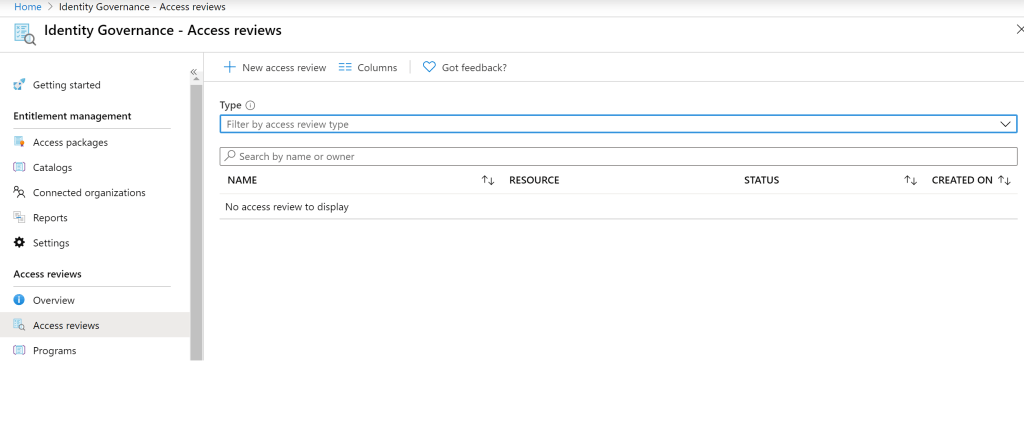
In order to create access review navigate to azure portal – Identity Governance – Access reviews – Click on access review – Select New access review.

Now we can create them with name ,description , start date and frequency of how often the access reviews needs to take place for the office365 groups.

Continue reading

Microsoft Teams – Enable data loss prevention,ATP safe attachments,retention of files and conversations

Security is considered one of the success factor for any implementations.With Office 365 security and compliance there are lot of options to enforce the security across Office 365 suite of products.We can enforce DLP on Microsoft Teams based on our requirement. ATP can be turned on for all file upload activities in Microsoft Teams. The best part is that now we do have option to enable retention as lesser as 1 day in Microsoft teams channel messages and chats.

Microsoft Data Loss Prevention have been protecting sensitive information across all Office365 platforms. The easiest part is that we already have more custom built-in templates which will be easier for us to create,test,evaluate the results and finally create one for the production.

DLP Policy in Teams:

To create a dedicated DLP policy for Teams navigate to security and compliance center – Create a new policy.

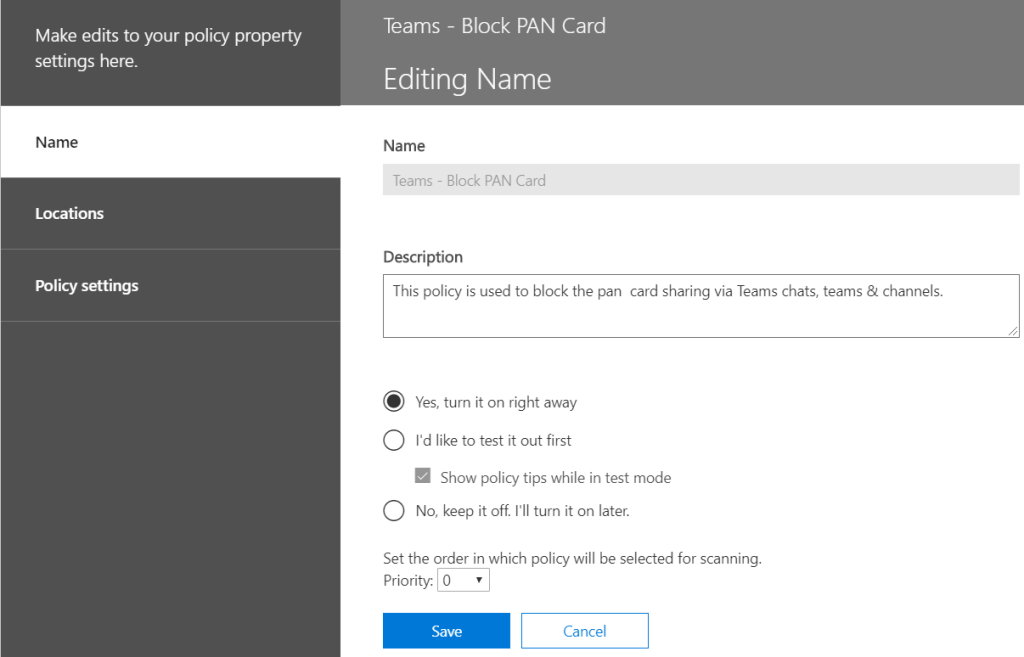
In our example we are creating a new policy which will block the sharing of PAN card number via teams channels and chats.

Continue reading

Microsoft Teams – Enforce Multifactor Authentication on guest accounts

Post the ignite sessions last month on Microsoft Teams, we have enhancements on security perspective that can be enabled which adds extra protection in any organization.

Inviting the external guest users to the teams channel have been a welcoming option for all of us which increases the communication between them and surges the productivity. However, there are few security guidelines that needs to be followed to ensure that our data is always secure even when they are shared outside the boundary. For instance, a guest account getting compromised where he is a member of a finance team will become a major security incident in any organization.

This article outlines the steps that can be carried over to enhance the security on Microsoft Teams guest accounts by enforcing the multi factor authentication.

Below are the steps to enforce the MFA on guest accounts:

First create a dynamic distribution group and target the guest account

Login to Azure AD Tenant with Admin privilege’s- Go to Groups – Create new group – make them security – membership type make them dynamic.

Continue reading

Use Azure Automation accounts, Run Books and Schedules to start stop VMs automatically running in Azure

By using this article, we can start/stop VMs during off-business houses.This greatly benefits the customers especially in cost optimization and manual task overhead of performing this action manually. But we need to make sure that the VMs that we are selecting is present in the same subscription where the automation account and this schedule is created by selecting only the required VMs and excluding the other VMs.

Login to Azure portal

Go to ALL Services and Type Automation Account and Create Automation Account.

Continue reading

Extend local AD extension attributes to Azure AD in a non-hybrid exchange online only environment

There might be a scenario where the environment has Azure AD synced users from local Active Directory. The mailboxes will be created directly in exchange online with no hybrid configured from the underlying time as a rule for new businesses.

Usually developers for customizing the login experience for different business units in their application consume the local extension AD attributes and its usually fine for fully on premise environments.

If we have exchange installed in the environment , the active directory schema will be extended to include user extensionattributes in the exchange mailbox properties.

There is another option of Using the Exchange Server install media, extend only the local Active Directory schema. Usually this option is not recommended. Doing this would add Exchange attributes to the local Active Directory. These attributes could then be set, and Azure AD Sync would then be configured to sync these attributes to Office 365.This option requires much testing, and there is always risk associated with AD schema changes.

Even in hybrid setup these values gets populated in Exchange online via exchange hybrid configuration for all users.

In the third scenario where we do not own a exchange hybrid and if the developer is using Azure AD via graph API and expecting these values on azure AD for the customization. In this case we have a better option of extending these values from the Azure AD connect by running them again and selecting only the required AD extension attributes.

Continue reading

Loads of exciting new features announced for Microsoft Teams on ignite 2019

With Microsoft ignite sessions that happened last week there are lots of new end users functionalities, meeting room enhancements and better enhanced administration facilities were announced for Microsoft Teams. Below are the summary of the features .

Watch out more from the Ignite Session videos.

End user functionalities –
1)Ability to create Private Channels – Secure Private channels can be created and shared only with few audiences.This eliminates the need of creating multiple teams for secure communication. We can further restrict the Private Channels creation and visibility from the admin center.
2)Multi window experience between the chats – Ability to chat with multiple people at the same time and switch windows which was much requested feature in the user voice.
3)New Tasks experience in Teams – Helps better tracking of the tasks and have great option to view the stats on charts, schedule, boards and filter.
4)Yammer app in Teams – Allows to jump in yammer communities.Beneficiary especially on larger organizations and useful for employees to join and collaborate in a bigger communities and keep upto date on the new content.
5)Outlook addin for Teams – With the new addin it makes easier for sending the content of the email with all the context body and attachments. Sharing from channels have also been seamless.
6)Background Blur to the next level- We can add customize background blur with our custom images and change the background experience either to show as sitting on a beach or in a hotel etc.,
7)Turn on live captions – It makes easier to follow up on the team meetings. This is a live voice to text translation and helps especially in broadcast meetings as well.

Continue reading

Configure SendGrid in Microsoft Azure for email campaigns and smtp relay

With Microsoft Azure and SendGrid sending email campaigns for the organization will be a lot simpler. The SMTP relay configuration on applications for developers will be hassle free and much secure. We can go up to two SendGrid subscriptions on every azure account. Sendgrid gives a lot of adaptability towards utilizing either webapi on the application sending messages or to utilize the normal SMTP relay configuration.

This article outlines the steps carried over to create send grid accounts in Microsoft Azure.
Login to azure portal – Search for SendGrid and create SendGrid account.

We must select the pricing tier. Good thing is that we get F1 free with Azure subscription of 25000 emails per month which has custom API integration with advanced tracking mechanism.

Continue reading

Analyze the office 365 adoption with Microsoft 365 usage analytics

Office 365 adoption preview helps to have insights of the Office 365 utilization trends for the whole organization.This helps organization on identifying the departments who needs training and places where there is real success on office 365 aquisition.

With Microsoft 365 usage analytics integrated with Power BI , we get much visibility on how Office365 is been utilized.It is a pre built content pack and do not need to create any customization on getting the reports.

This content pack is free of charge and works well with powerBI free service and can customize the dashboards with reports.We do not need to have a powerbi pro or premium license to utilize this service.Once we connect this content pack it can be shared with anybody. However if the user attempts to share, export the report then powerbi pro license is required. For viewing only the data powerbi free license is much sufficient.

The moment when we connect the data pack it provides the data for last 12 months. Later it refreshes in a weeks time. We do have an option to customize the refresh schedule.

Continue reading

Script to generate office 365 groups created on last 30 days

By default it is enabled for users to create the office365 groups. There are few organizations where they do not need to restrict this group creation because these groups are heavily influenced on utilizing the office365 services Sharepoint,Yammer, Microsoft Teams, PowerBI , Outlook, Planner and Road Map which in turn might decline the office 365 user adoption rate.

The below script can be used to run in task scheduler on a monthly basis for reviewing the Office 365 groups which have been created in last 30 days and will email us the report.

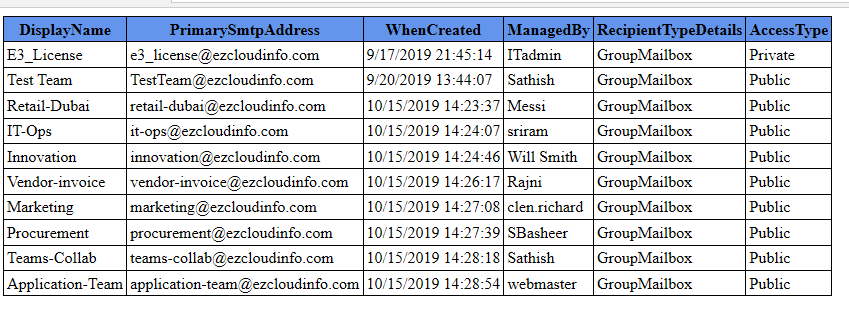
Below is the sample output of the script which will provide us the below details.

Continue reading

Configure Exchange Online to reject emails that fail DMARC validation with organizations having policy of reject

By default Office 365 DMARC validation for internet emails that fails for policy P=Reject will make the email to land in junk folder of the recipient mailbox. Microsoft 365 will treat DMARC policies of quarantine and reject in the same way, which means that if the sender’s DMARC policy is set to reject or quarantine, the emails that fail DMARC will be sent to the junk folder of the recipient mailbox which is by design as of now and can be found in the Microsoft Article.

Microsoft believes that the main agenda of doing this is to ensure that any legitimate emails which misses in DMARC alignment shouldn’t be lost and its better either to quarantine them or to get them delivered recipient’s junk mail folder. There are few cases wherein few organizations would still need the DMARC policy to be stringent due to their security regulations.

Microsoft validates DMARC and overrides the failure with a header value for a domain whose DMARC TXT record has a policy of p=reject oreject. Instead of deleting or rejecting the message, Office 365 marks the message as spam.

To test it further we are publishing SPF, DKIM and DMARC record for the domain ezcloudinfo.com as below:

Continue reading