Category Archives: Network Security

Zero Trust at the Device Level: Securing Endpoints, Internet Access, and Sensitive Data with Microsoft 365

Cybersecurity has shifted dramatically. Traditional perimeter defenses such as firewalls and VPNs are no longer enough to protect a workforce that operates across devices, networks, and locations. Today, the endpoint the laptop, mobile device, or workstation has become the primary battleground. Attackers target users directly through phishing, malicious scripts, identity compromise, and lateral movement techniques that bypass legacy controls.

This shift is why Endpoint Security is now the foundation of Zero Trust.

Microsoft’s modern security ecosystem Defender for Endpoint, Intune, Entra Conditional Access, Network Protection, Web Content Filtering, Purview DLP, and Entra Internet Access provides a unified, real time defense that protects devices, identities, networks, and data wherever work happens.

In this blog, we explore how these capabilities work together to deliver a layered, Zero Trust aligned endpoint and network security strategy that:

  • Reduces attack surface through hardened configurations
  • Detects and blocks malicious behavior directly on the device
  • Ensures only healthy, compliant devices can access corporate resources
  • Controls internet and private app access using identity‑aware network filtering
  • Prevents sensitive data from being copied, shared, or uploaded in unsafe ways
  • Provides unified visibility across endpoint, network, and data activity
Continue reading

From Home to Zero Trust: A Hands-On Guide to Microsoft Entra Private Access

In today’s hybrid work environment, secure access to internal resources without relying on traditional VPNs is a key requirement. Microsoft Entra Private Access, part of the Global Secure Access suite, enables Zero Trust-based connectivity to private applications hosted on-premises or in private networks.

In this demo, we’ll walk through setting up a home lab using an Azure tenant, installing the Entra connector, and configuring access to a Synology NAS as a private application—all from a personal laptop and home network.

Before starting, make sure you have:

  • Microsoft Entra ID tenant with Global Secure Access enabled.
  • Microsoft Entra Global Secure Access license (Private Access feature).
  • Windows 11 Pro device (required for advanced networking and policy support).
  • Device joined to Microsoft Entra ID (Azure AD joined or Hybrid joined).
  • Intune-managed device for policy enforcement and NRPT configuration.
  • Administrative access to your Azure tenant and local machine.
  • Microsoft Entra Connector installer downloaded from the Entra Admin Center.
  • Global Secure Access Client installer for Windows.
  • Internal resource (Synology NAS or similar) reachable on your home network.
  • Internal IP address of the resource (e.g., 10.0.x.x).
  • Optional DNS setup:
    • Private DNS zone or hosts file entry for FQDN (e.g., demo.synology.me).
  • Self-signed certificate (optional) for HTTPS access.
  • Internet connectivity for connector registration and client sign-in.
Continue reading

What’s New in Azure Firewall: Draft & Deploy, Selective Logging, Explicit Proxy, Security Copilot & More

Azure Firewall continues to evolve with powerful new features that enhance security, governance, and operational efficiency.

Whether you’re managing complex enterprise environments or hybrid architectures, these updates offer greater control, visibility, and automation.

Here’s an overview into the latest innovations:

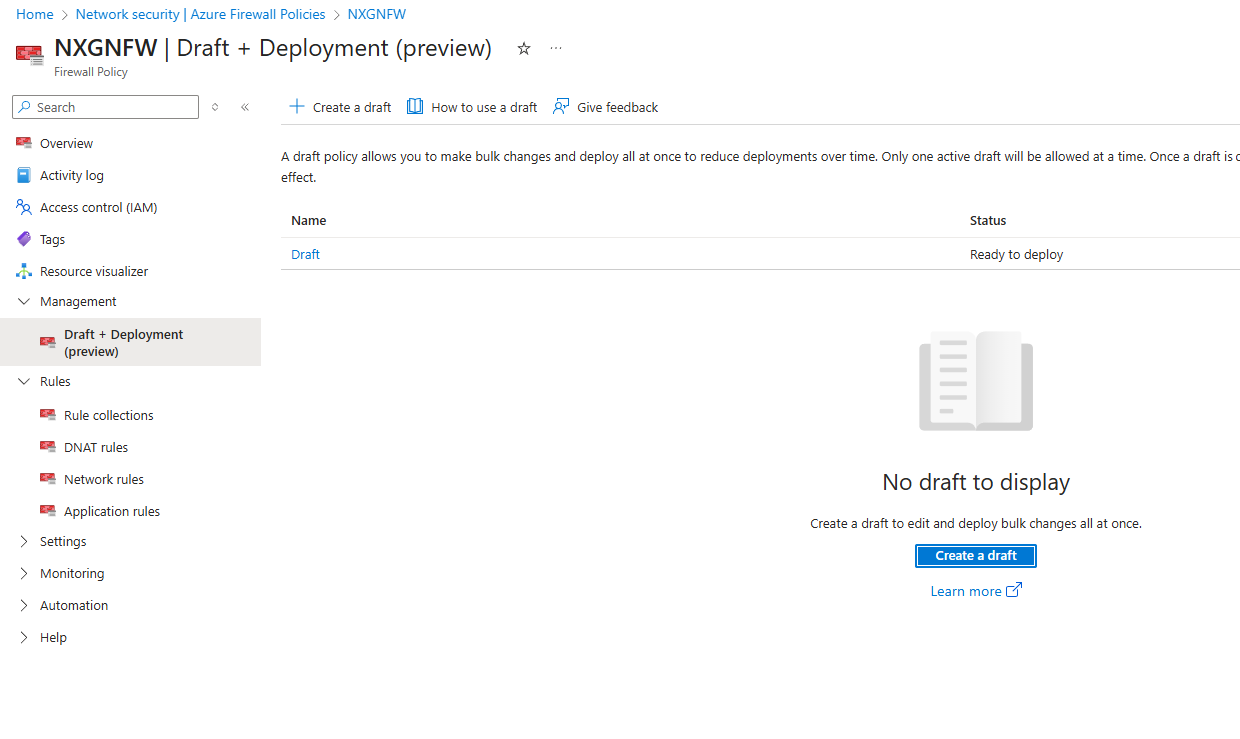
Draft and Deploy – Azure Firewall Policy Changes (Preview)

Managing firewall policies just got smarter.

With the Draft and Deploy feature, administrators can now:

  • Clone active policies to create editable drafts.
  • Collaborate on bulk changes without impacting live environments.
  • Stage deployments to minimize disruption.
  • Apply all changes at once, improving governance and reducing human error.

This is a game changer for environments requiring frequent policy updates, such as dynamic cloud workloads or multi team operations.

Continue reading

Getting started with eBPF Revolutionizing the enhanced observability, improved security & performance

eBPF is used for advanced network packet filtering, load balancing, and traffic control. Its ability to provide deep insights, enhance security, and optimize performance makes it an essential tool for modern IT infrastructure. It helps in creating sophisticated security tools that can monitor system calls and network activities

Thanks & Regards
Sathish Veerapandian

Utilize the Azure WAF to secure your applications from Cyber Attacks

Azure WAF is a critical security service that safeguards web application from common threats and vulnerabilities. Take a look at this video to know more about its features and utilize them in your environment.

Hope you enjoyed this video.

Regards
Sathish Veerapandian

Make use of Azure Firewall to help protect your applications across subscriptions and Vnets

Azure Firewall Sku’s is a stateful firewall service which has built in high availability to help protect your services and applications across subscriptions and VNETs

You can deploy Azure Firewall on any virtual network, but customers typically deploy it on a central virtual network and peer other virtual networks to it in a hub-and-spoke mode.

Take a look at this video to know more about the Azure Firewall.

Regards
Sathish

Use Azure DDOS Protection to protect your resources in subscription

Azure DDOS protection provides several features and capabilities to help protect your Azure resources from DDOS Attack.

Take a look at this video to know more about the same.

Hope you enjoyed this video !

Regards
Sathish Veerapandian

Plan Zero Trust Security Model in your hybrid environment

The security concept known as “Zero Trust” is founded on the principle “never trust, always verify” .Watch this video to learn about the essential tenets of Zero Trust and how to implement it in your environment.

Regards
Sathish Veerapandian