Category Archives: Cloud Security

Build Trusted AI with Guardrails and Controls in Azure Foundry

As AI systems move from proof of concepts to production, organizations must ensure their applications are safe, secure, and compliant without slowing teams down. Microsoft Azure Foundry brings these capabilities together under Guardrails & Controls, giving builders a central place to filter harmful content, govern agent behavior, block sensitive terms, and receive security insights.

In this walkthrough, We’ll learn how to use the Guardrails & Controls workspace in Azure Foundry with a focus on four areas:

  1. Try it out : experiment with safety checks (text, images, prompts, groundedness)
  2. Content filters : create and assign policy to deployments
  3. Blocklists :ban specific words/phrases from inputs and outputs
  4. Security recommendations : get posture guidance via Defender for Cloud

Why Guardrails Matter ?

Production AI faces unpredictable inputs, sensitive data, and regulatory requirements. Without guardrails, systems can hallucinate, leak private information, or produce unsafe content. Azure Foundry’s Guardrails & Controls reduce those risks by combining content moderation, agent behavior governance, blocked terms, and security posture insights in one place.

Navigate to Guardrails & Controls.

From your Foundry project:

Foundry → (Your Project) → Guardrails & controls

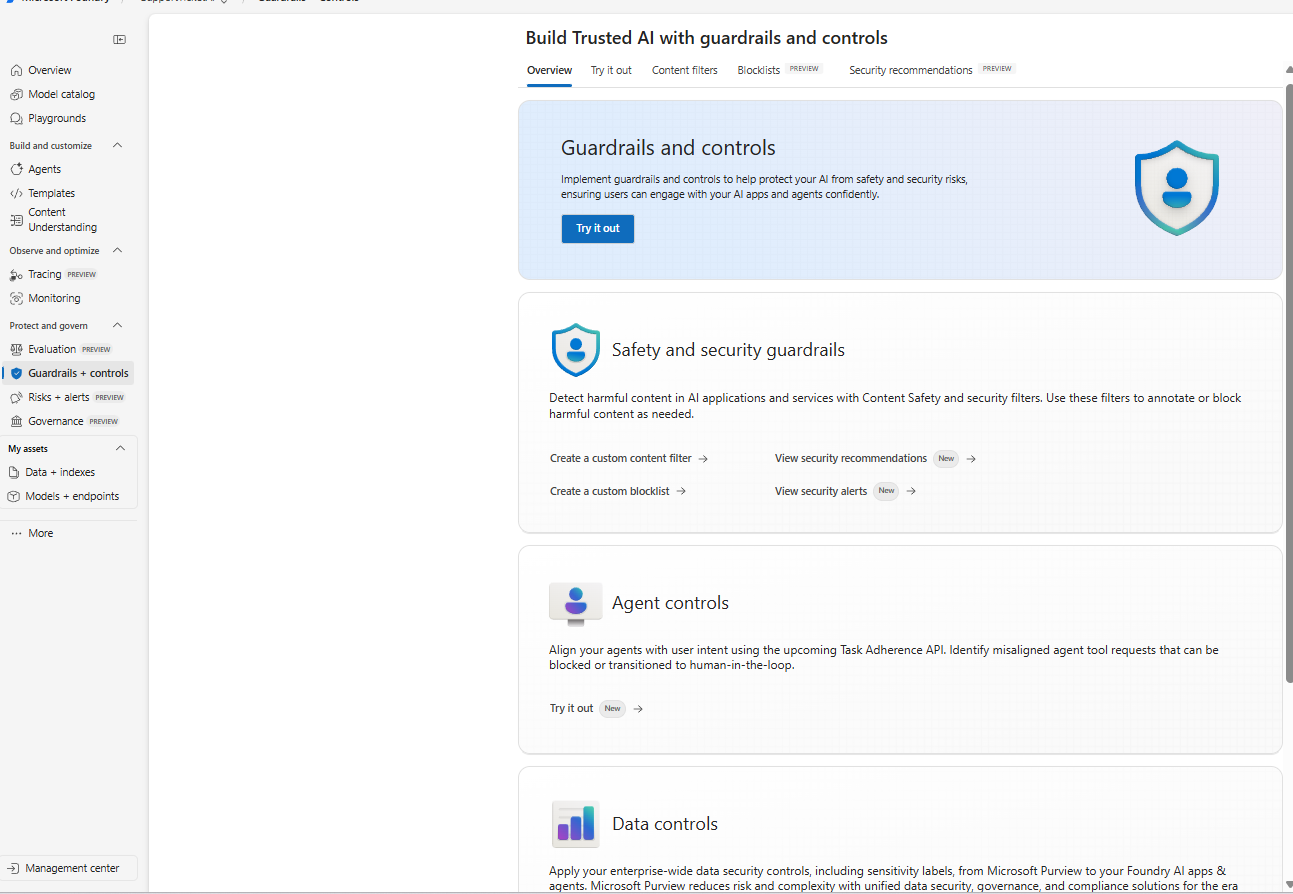
Guardrails & Controls Overview

The Guardrails & Controls landing page in Azure Foundry with tabs for Try it out, Content filters, Blocklists, and Security recommendations.

What you’re seeing:
The overview introduces the guardrails surface with quick entry points for Safety & security guardrails (content filters, blocklists, alerts) and Agent controls (behavior and tool use governance). Use this page as your starting point to design and test safety policies.

Continue reading

Exploring Microsoft Entra Agent ID (Preview): Identity, Governance & Zero‑Trust for AI Agents

Note: Features are in Preview and may change.

As organizations lean into AI assistants and autonomous workflows, one challenge keeps coming up in every SOC and IAM conversation: agent sprawl. Agents show up in multiple teams and builder platforms, and before you know it, you’ve got non‑human actors touching sensitive data without a clear inventory, lifecycle, or policy boundary.

Microsoft Entra Agent ID and the Agent Registry (Preview) are designed to solve exactly that bringing identities, governance, and Zero Trust controls to AI agents, so you can securely discover, organize, and manage them easily in your directory.


What Agent Registry Adds (and Why You’ll Care)

Agent Registry is an Microsoft Entra integrated metadata repository that gives you a unified view of agents built on Microsoft platforms (e.g., Copilot Studio, Azure AI Foundry) and those from other ecosystems. It separates operational records (Agent Instances) from discoverability metadata (Agent Card Manifests) and introduces Collections to govern which agents can discover and collaborate with each other. Think discovery before access a crucial shift for reducing exposure.


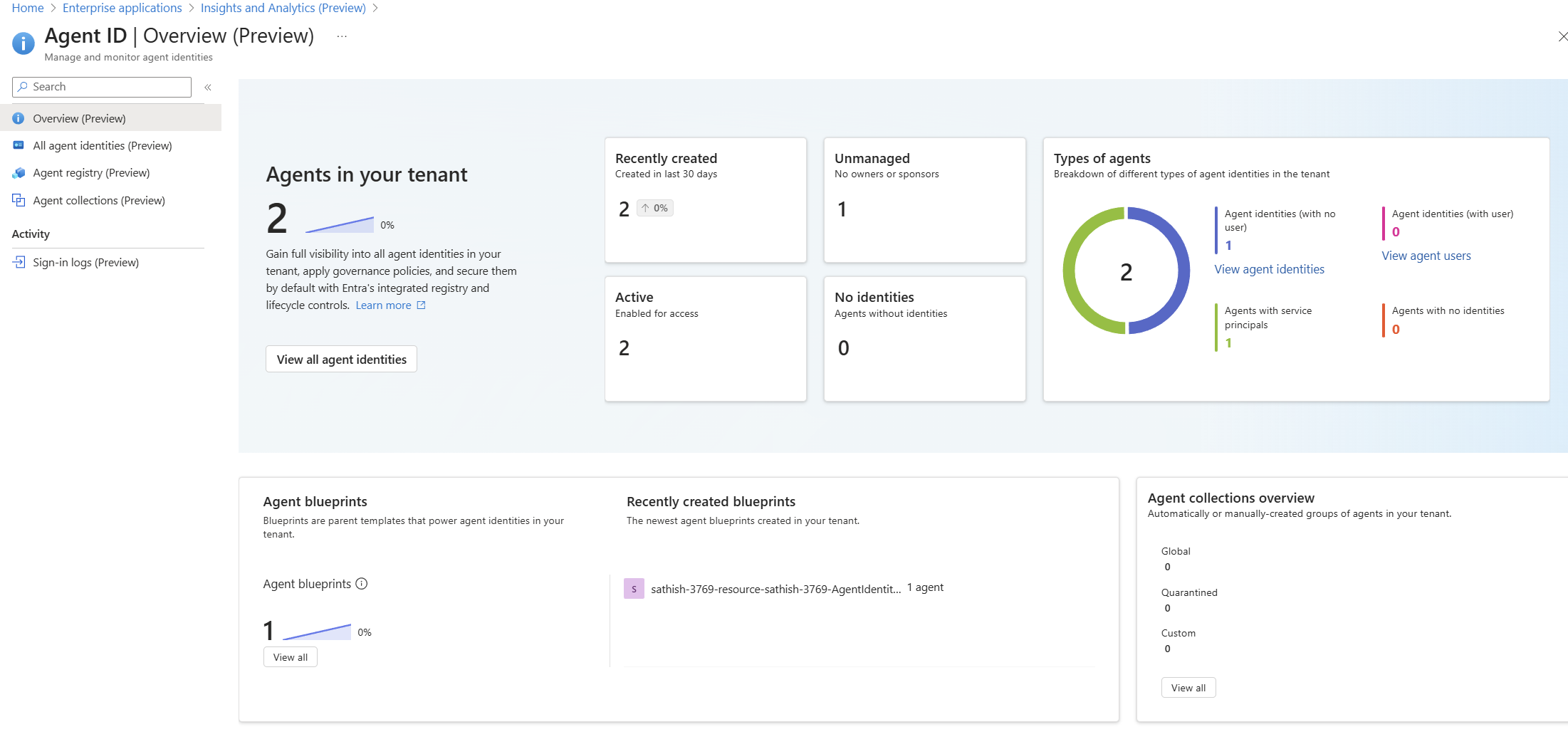
A Quick Look at the Tenant Experience

Agent ID Overview (Preview) dashboard showing agent counts, status, types, and blueprints: high-level posture of agents, identities, blueprints, and collections

Continue reading

Top 10 Browser Security Controls that can be Enforced with Microsoft Intune

In today’s enterprise landscape, most applications are accessed through modern browsers like Microsoft Edge and Google Chrome, especially on Windows devices. While these browsers come with built-in security features, organizations must go a step further to enforce consistent and robust browser security policies across all endpoints.

If your organization uses Microsoft Intune, you have powerful tools at your disposal to configure and enforce browser security settings. In this blog, we’ll walk through 10 essential browser security controls you can implement using Intune’s Settings Catalog to enhance protection against web-based threats.

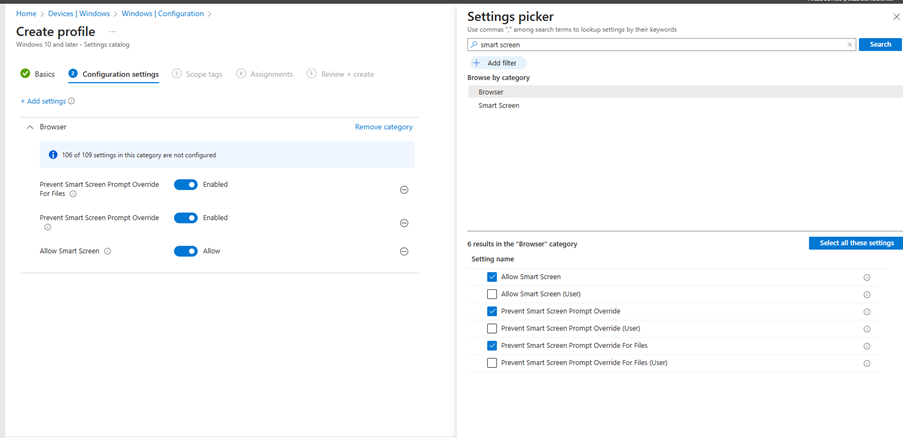
1. Enable Windows Defender SmartScreen

SmartScreen helps protect users from phishing attacks and malicious websites or downloads.

Recommended Settings:

  • Enable Windows Defender SmartScreen
  • Don’t allow SmartScreen warning overrides for unverified files
  • Don’t allow SmartScreen warning overrides
Continue reading

What’s New in Azure Firewall: Draft & Deploy, Selective Logging, Explicit Proxy, Security Copilot & More

Azure Firewall continues to evolve with powerful new features that enhance security, governance, and operational efficiency.

Whether you’re managing complex enterprise environments or hybrid architectures, these updates offer greater control, visibility, and automation.

Here’s an overview into the latest innovations:

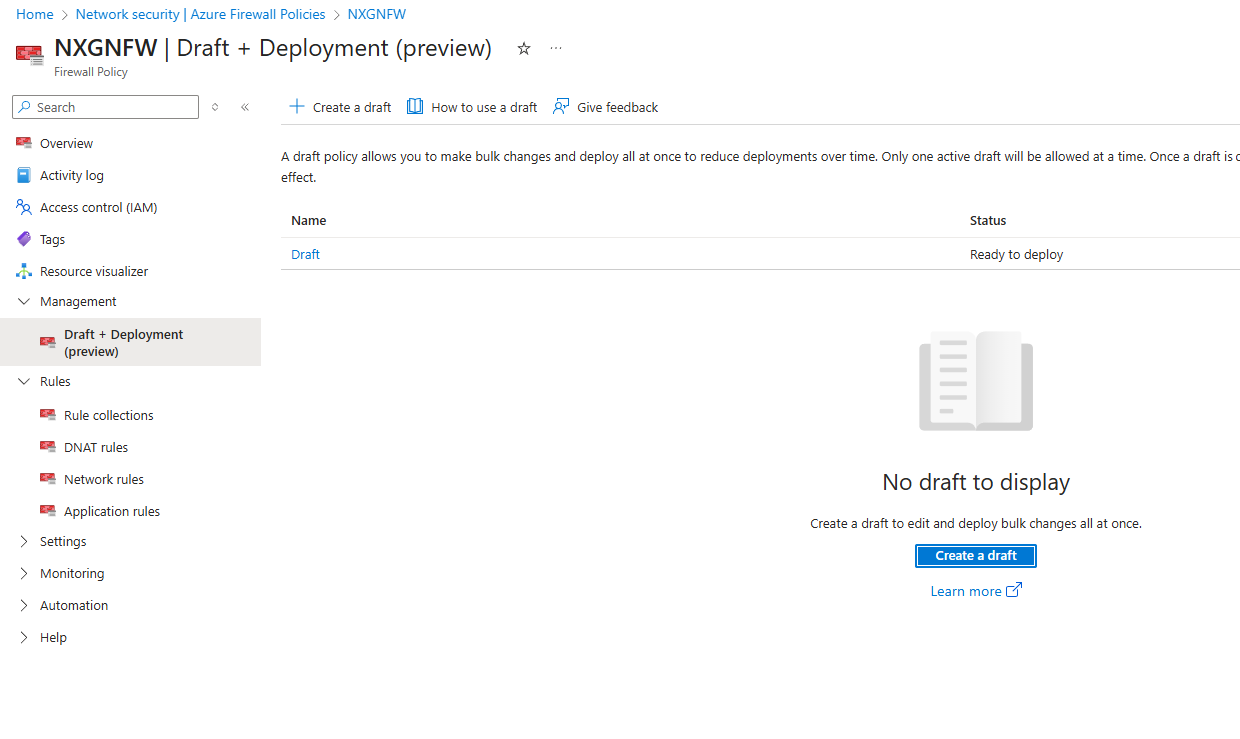
Draft and Deploy – Azure Firewall Policy Changes (Preview)

Managing firewall policies just got smarter.

With the Draft and Deploy feature, administrators can now:

  • Clone active policies to create editable drafts.
  • Collaborate on bulk changes without impacting live environments.
  • Stage deployments to minimize disruption.
  • Apply all changes at once, improving governance and reducing human error.

This is a game changer for environments requiring frequent policy updates, such as dynamic cloud workloads or multi team operations.

Continue reading

Cloud Security: A Comprehensive Guide to Microsoft Defender for Cloud Apps

Microsoft Defender for Cloud Apps provides extensive security and management for your cloud applications. Watch this video to learn how to get started with Defender for Cloud features.

Regards
Sathish Veerapandian

First Look at Microsoft AI Hub: What You Need to Know

Prioritize comprehensive security and compliance measures before integrating AI into your IT ecosystem. This video showcases what the Microsoft AI Hub (preview) brings to the table in this context.

Regards
Sathish Veerapandian

Utilize the Azure WAF to secure your applications from Cyber Attacks

Azure WAF is a critical security service that safeguards web application from common threats and vulnerabilities. Take a look at this video to know more about its features and utilize them in your environment.

Hope you enjoyed this video.

Regards
Sathish Veerapandian

Make use of Azure Firewall to help protect your applications across subscriptions and Vnets

Azure Firewall Sku’s is a stateful firewall service which has built in high availability to help protect your services and applications across subscriptions and VNETs

You can deploy Azure Firewall on any virtual network, but customers typically deploy it on a central virtual network and peer other virtual networks to it in a hub-and-spoke mode.

Take a look at this video to know more about the Azure Firewall.

Regards
Sathish