Category Archives: Purview

Navigating DORA with Microsoft Purview: A compliance blueprint for Microsoft 365

Digital Operational Resilience Act (DORA) is reshaping how EU financial entities manage ICT risk, resilience testing, incident reporting, and third‑party risk. If you run Microsoft 365, Microsoft Purview Compliance Manager gives you a practical way to translate DORA requirements into actions, evidence, and measurable progress. This guide walks through a clean, step‑by‑step implementation flow from setting up a DORA assessment to assigning improvement actions and tracking your score, so you can be audit ready without drowning in spreadsheets.

Why use Microsoft Purview Compliance Manager for DORA ?

  • Prebuilt assessments: DORA assessment templates map regulatory articles to actionable controls you can assign and track.
  • Control mapping: Microsoft‑managed baselines and customer‑managed controls provide clarity on shared responsibility.
  • Improvement actions: Structured tasks with owners, due dates, and recommended steps create accountability.
  • Evidence management: Centralized artifacts (documents, links, screenshots) simplify audit preparation.
  • Real‑time scoring: Compliance scores help prioritize high‑risk gaps and demonstrate progress.

Prerequisites and approach

  • Access: Ensure you have appropriate roles in Microsoft Purview (e.g., Compliance Manager Admin or similar).
  • Scope: Decide which services to cover first; start with Microsoft 365 for a focused rollout.
  • Vanilla setup: Use a fresh assessment group to avoid inherited noise and control drift.

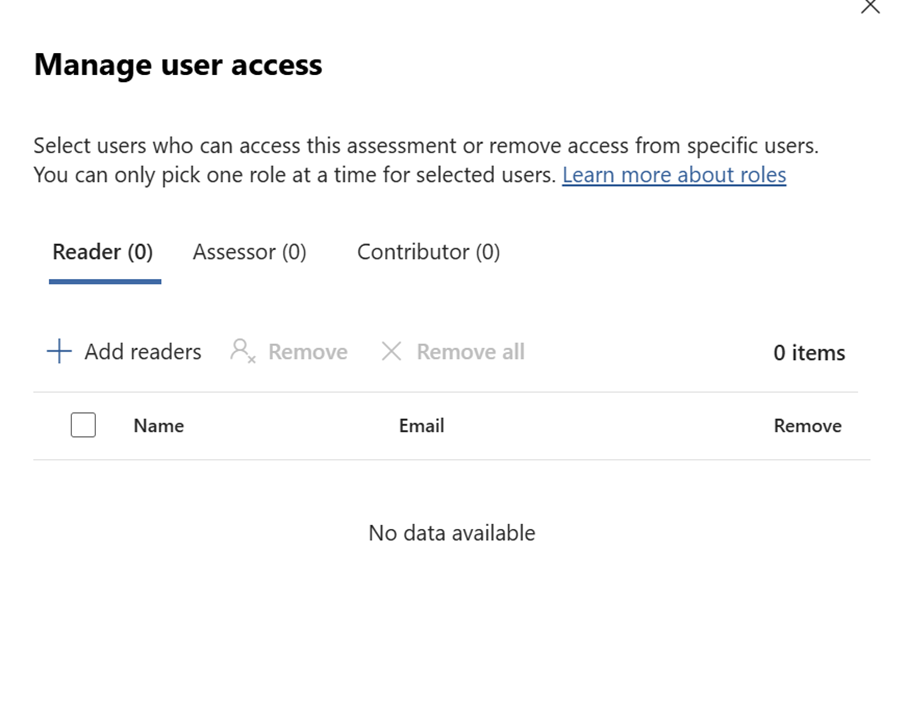
Quick Tip

Can also use the default user access options available from the Assesment option in the Compliance Manager Portal
Step‑by‑step setup in Compliance Manager

Create and configure your DORA assessment

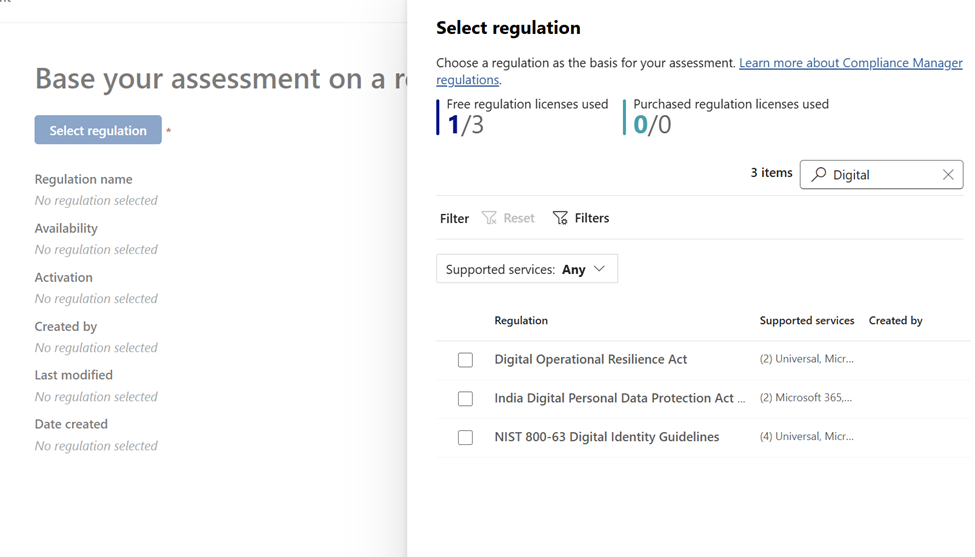
  • Open Purview: Go to Microsoft Purview portal → Compliance Manager – Navigate to assessment – Select Regulation
  • Find templates: Search for “Digital” under assessment templates. (I was not able to find with DORA :))
Continue reading

Deep Dive into Microsoft Purview Adaptive Protection: A SOC Team’s Guide to Investigating Insider Risk Alerts in Adaptive Protection

In today’s hybrid work environment, insider threats are becoming increasingly complex. Microsoft Purview’s Adaptive Protection and Insider Risk Management (IRM) offer a dynamic, risk-based approach to protecting sensitive data while enabling SOC teams to investigate and respond to alerts with precision.

This blog provides a step by step walkthrough of how SOC teams can leverage these tools to investigate alerts, assess user behavior, and take appropriate action.

Step 1: Understanding the Adaptive Protection Dashboard

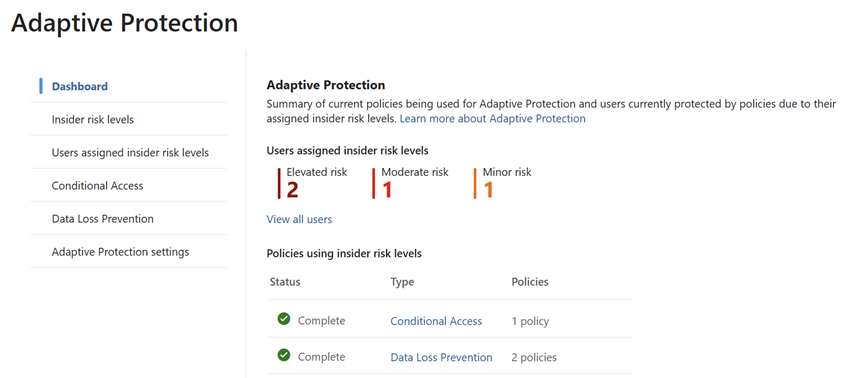
The Adaptive Protection dashboard is the SOC team’s starting point. It provides a bird’s-eye view of user risk levels across the organization, helping analysts prioritize investigations.

Key Elements of the Dashboard:

  • User Risk Levels:
    • Elevated Risk: Users exhibiting high-risk behavior that may indicate potential data exfiltration or policy violations.
    • Moderate Risk: Users with concerning patterns but not yet critical.
    • Minor Risk: Users with low level anomalies or early warning signs.
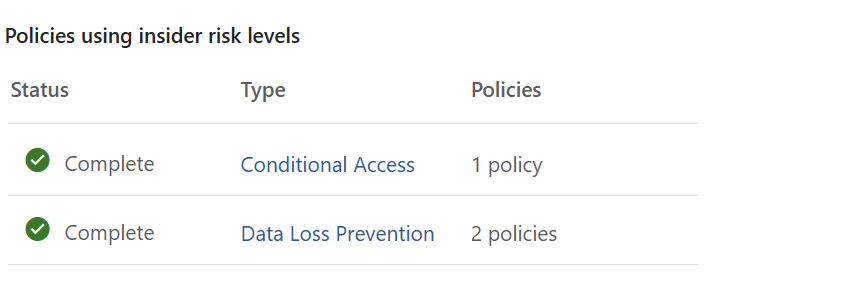
  • Policy Integration:
    • Shows which Insider Risk policies are actively using these risk levels.
    • Helps correlate user behavior with policy triggers, such as data leakage,
    • Security violations, or unusual access patterns.
Continue reading

SOC Analyst Guide: Investigating Insider Risk Alerts in Microsoft Purview

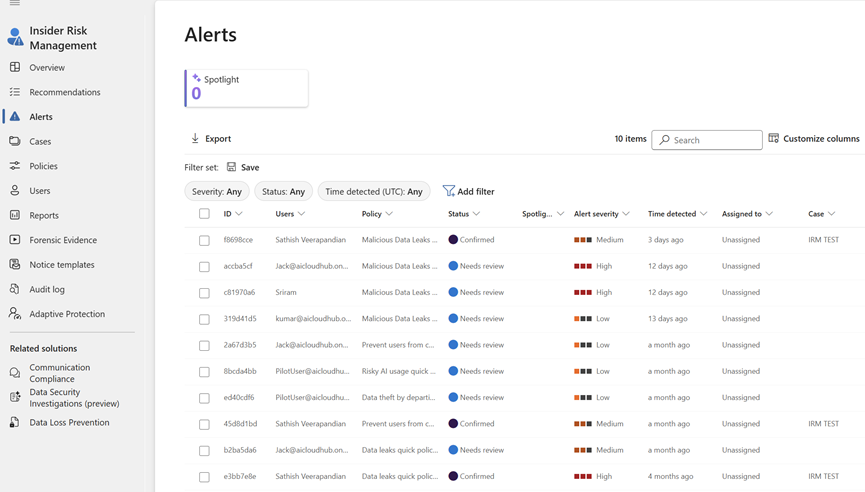
This blog post provides a comprehensive guide for SOC analysts to investigate and respond to alerts generated by Microsoft Purview’s Insider Risk Management and Adaptive Protection. It outlines step-by-step workflows for accessing alerts, triaging incidents, analyzing user behavior, managing cases, and leveraging Microsoft Defender integration.

The guide also includes best practices and suggested screenshots to help SOC teams effectively mitigate insider threats and maintain organizational security.

Introduction

Microsoft Purview’s Insider Risk Management (IRM) and Adaptive Protection empower SOC teams to detect and respond to insider threats dynamically. This guide walks through how SOC analysts can triage, investigate, and respond to alerts generated by these systems.

Part 1: Investigating Insider Risk Management Alerts

1. Access the Alerts Dashboard

Go to: Microsoft Purview Portal > Insider Risk Management > Alerts

Continue reading

Microsoft Purview Adaptive Protection – A Step-by-Step Guide to Setting It Up Effectively

We’ll walk through how to configure it effectively so your organization benefits from smarter, risk-based security controls. By the end, you’ll understand how to integrate it with tools like Defender, Intune, and Conditional Access. This session will cover the purpose of Adaptive Protection, its benefits, and the key steps involved in its implementation. Whether you’re a security architect or IT administrator, this guide will help you align Adaptive Protection with your existing infrastructure and security policies

Regards
Sathish Veerapandian

Getting started with Microsoft Purview Data Security Posture Management (DSPM)

In this video, we dive deep into Microsoft Purview Data Security Posture Management (DSPM)—what it is, why it matters, and how it works.

We’ll cover:

✔ Key data security challenges
✔ DSPM process and features
✔ Integration with DLP, Information Protection, and Insider Risk Management
✔ Live portal walkthrough
✔ DSPM vs Insider Risk Management comparison

Take a look at this video to know more about Data Security Posture Management

Regards
Sathish Veerapandian

Top Best Practices for Insider Risk Management Using Microsoft Purview to Strengthen Organizational Security

Discover how to protect your organization from internal threats with Microsoft Purview Insider Risk Management. In this video, we explore best practices for identifying, assessing, and mitigating insider risks such as data leaks, IP theft, and policy violations.

Learn how to:

✅ Plan and implement effective insider risk policies

✅ Collaborate with IT, HR, Legal, and Compliance teams

✅ Maintain privacy with pseudonymization and role-based access

✅ Align with regional compliance requirements

✅ Use Microsoft Purview tools to detect and respond to risky behavior

Take a look at this video to know more information about the same

Regards
Sathish Veerapandian

Strengthen Insider Threat Defense with Microsoft Adaptive Protection

Adaptive Protection in Microsoft Purview is a powerful feature that strengthens data security by proactively safeguarding sensitive information within organizations

Take a look at this video to get started with this option from the Microsoft Purview Data loss prevention capabilities.

Hope you enjoyed this video !

Prevent Data Exfiltration via Browser through Microsoft Purview

Remember Insider Risk Management is an ongoing process.Regularly review and update your policies, stay vigilant and leverage the right tools to keep your data secure !

Take a look at this video that explains on how to prevent your browser from Data Exfiltration activities.

Hope you enjoyed this video !

Getting started with Microsoft Purview – Insider Risk Management

Implementing Microsoft Insider Risk Management can help you proactively manage and mitigate risks from within your organization, ensuring better security and compliance.

Take a look at this video to learn more about the offering from Microsoft.

Hope you enjoyed this video !

Regards
Sathish
Veerapandian

Safeguarding Endpoint Data with Microsoft Purview

Microsoft endpoint data loss prevention is a robust feature within the Microsoft Purview designed to safeguard sensitive information on endpoint devices like Windows and Mac OS. Take a look at this video to get started with this feature offering from Microsoft Purvie

Regards
Sathish
Veerapandian