What’s New in Azure Firewall: Draft & Deploy, Selective Logging, Explicit Proxy, Security Copilot & More

Azure Firewall continues to evolve with powerful new features that enhance security, governance, and operational efficiency.

Whether you’re managing complex enterprise environments or hybrid architectures, these updates offer greater control, visibility, and automation.

Here’s an overview into the latest innovations:

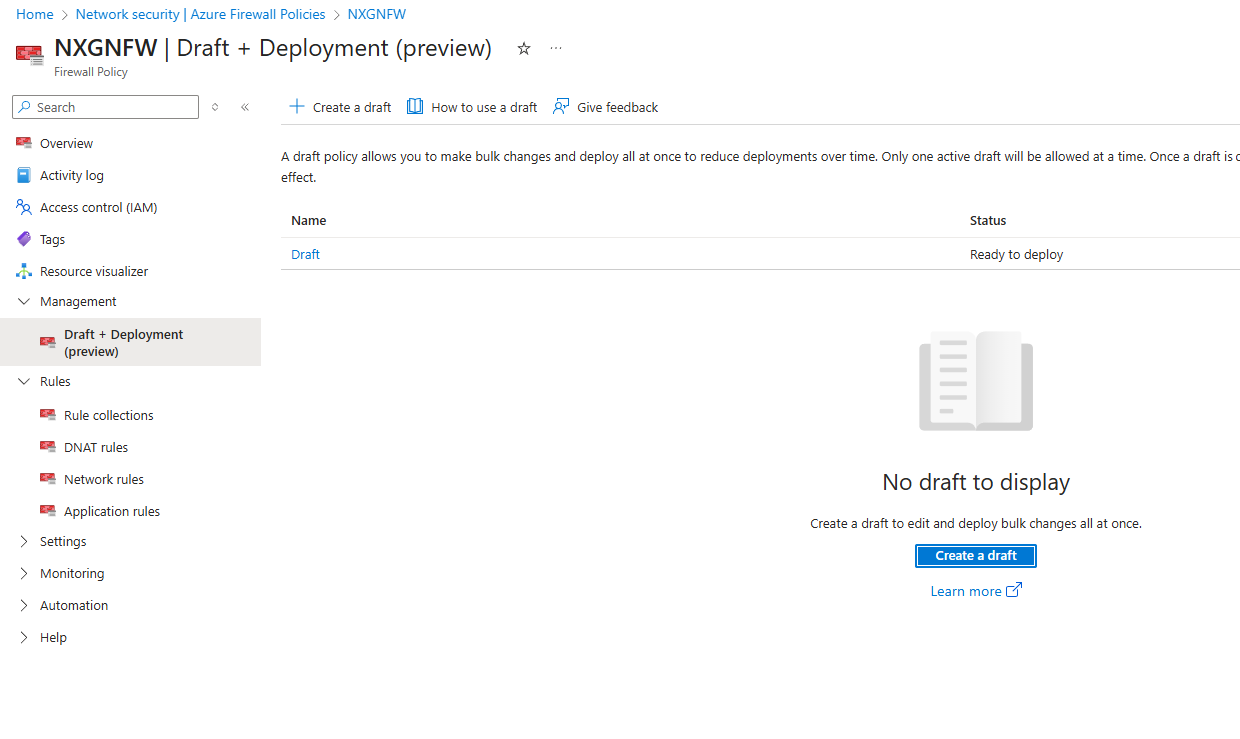
Draft and Deploy – Azure Firewall Policy Changes (Preview)

Managing firewall policies just got smarter.

With the Draft and Deploy feature, administrators can now:

  • Clone active policies to create editable drafts.
  • Collaborate on bulk changes without impacting live environments.
  • Stage deployments to minimize disruption.
  • Apply all changes at once, improving governance and reducing human error.

This is a game changer for environments requiring frequent policy updates, such as dynamic cloud workloads or multi team operations.

You can create a Draft , Make changes in the Draft and Deploy all changes at once

It brings version control-like capabilities to firewall management, aligning with DevSecOps best practices.

Read more: https://techcommunity.microsoft.com/blog/azurenetworksecurityblog/draft-and-deploy—azure-firewall-policy-changes-preview/4435499

Customer Controlled Maintenance

Say goodbye to surprise outages. Azure Firewall now supports Customer Controlled Maintenance, allowing you to:

  • Schedule your own maintenance windows.
  • Avoid unexpected downtime and improve SLA compliance.
  • Control update timing to align with business critical operations.

There is a nice option to schedule a maintenance window which helps a lot in scheduling our own maintenance window

This feature is especially valuable for regulated industries and mission-critical workloads where predictability and compliance are paramount.

Learn more: https://learn.microsoft.com/en-us/azure/firewall/customer-controlled-maintenance?tabs=portal

Explicit Proxy Support (Preview)

Azure Firewall now supports Explicit Proxy, enabling organizations to route outbound traffic from client devices directly through the firewall using proxy settings without needing network level redirection.

Key Benefits:

  • Simplified traffic routing: Devices can be configured to use the firewall as a proxy via PAC files or browser settings.
  • Granular control: Apply firewall policies based on user identity, URL categories, or destination domains.
  • Improved security posture: Prevent direct internet access and enforce inspection through the firewall.
  • No need for forced tunneling: Reduces complexity in hybrid and branch office scenarios.

Use Cases:

  • Secure web browsing for branch offices or remote users.
  • Enforcing corporate internet usage policies.
  • Integrating with identity-based access controls.

Note: Explicit Proxy is currently in preview and supports HTTP/S traffic. PAC file hosting and authentication integration are also available.

Learn more: https://learn.microsoft.com/en-us/azure/firewall/explicit-proxy

Optimize Azure Firewall Logs with Selective Logging

Logging is essential but excessive logs can be costly and noisy.

Azure now supports Selective Logging using Data Collection Rules (DCRs) and ingestion-time transformations:

  • Reduce log volume and cost by filtering unnecessary data.
  • Improve signal to noise ratio for faster threat detection.
  • Enable custom alerts for compliance and security monitoring.

This empowers security teams to focus on what matters, while keeping operational costs in check.

TechCommunity Blog: https://techcommunity.microsoft.com/blog/azurenetworksecurityblog/optimize-azure-firewall-logs-with-selective-logging/4438242

Tutorial on Workspace Transformations: https://learn.microsoft.com/en-us/azure/azure-monitor/logs/tutorial-workspace-transformations-api

Security Copilot Embedded Experience (GA)

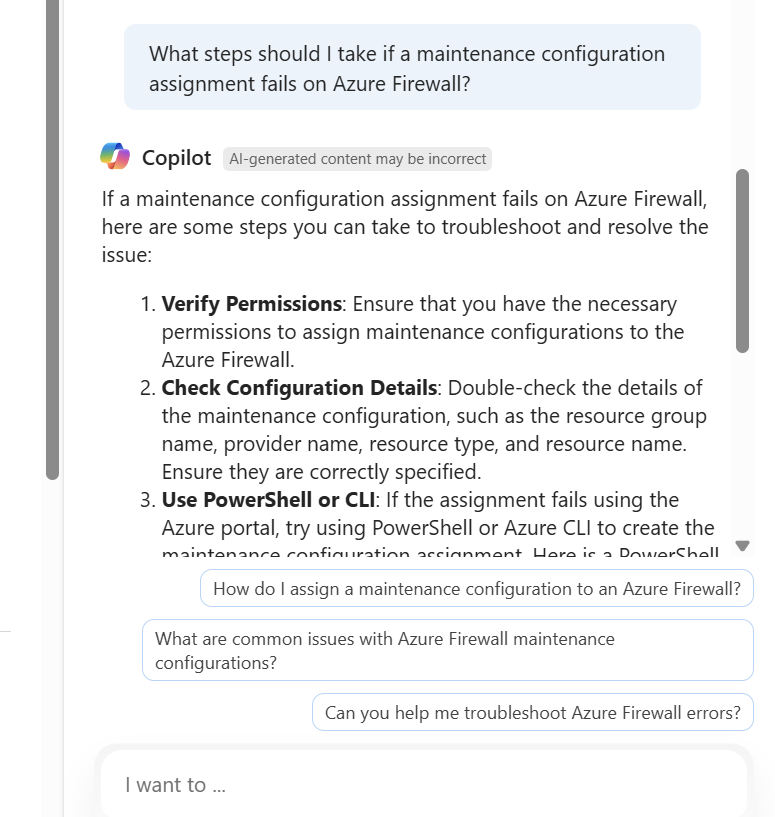
AI meets firewall security. The Security Copilot Embedded Experience is now generally available, offering:

  • AI-powered threat investigation across all firewalls.
  • Fleet-wide threat searches without manual effort.
  • Integrated experience within Azure Firewall for faster response.

This feature leverages Microsoft’s AI capabilities to accelerate incident response, reduce dwell time, and empower SOC teams with intelligent insights.

Explore Security Copilot in Azure Firewall: https://learn.microsoft.com/en-us/azure/firewall/firewall-copilot

Private IP DNAT Support (GA)

Azure Firewall Standard now supports DNAT on private IP addresses, unlocking new possibilities:

  • Internal only services can now be securely exposed within private networks.
  • Hybrid architectures benefit from more flexible routing and segmentation.
  • Improved security posture by avoiding public IP exposure.

This is ideal for organizations with on-premises integrations, hub-and-spoke topologies, or zero-trust architectures.

Read the announcement: https://techcommunity.microsoft.com/blog/azurenetworksecurityblog/private-ip-dnat-support-and-scenarios-with-azure-firewall/4230073

Final Thoughts

These updates reflect Microsoft’s commitment to making Azure Firewall more intelligent, flexible, and enterprise-ready.

Whether you’re a cloud architect, security engineer, or IT admin, these features offer tangible benefits in terms of security, cost efficiency, and operational control.

We will walkthrough each of these components in our Youtube Channel https://www.youtube.com/@devopsinfo391

Stay tuned to https://ezcloudinfo.com  for more deep dives into Azure innovations and best practices.

Regards
Sathish Veerapandian

Tagged: , , , ,

Leave a comment

This site uses Akismet to reduce spam. Learn how your comment data is processed.