
As AI systems move from proof of concepts to production, organizations must ensure their applications are safe, secure, and compliant without slowing teams down. Microsoft Azure Foundry brings these capabilities together under Guardrails & Controls, giving builders a central place to filter harmful content, govern agent behavior, block sensitive terms, and receive security insights.
In this walkthrough, We’ll learn how to use the Guardrails & Controls workspace in Azure Foundry with a focus on four areas:
- Try it out : experiment with safety checks (text, images, prompts, groundedness)
- Content filters : create and assign policy to deployments
- Blocklists :ban specific words/phrases from inputs and outputs
- Security recommendations : get posture guidance via Defender for Cloud
Why Guardrails Matter ?
Production AI faces unpredictable inputs, sensitive data, and regulatory requirements. Without guardrails, systems can hallucinate, leak private information, or produce unsafe content. Azure Foundry’s Guardrails & Controls reduce those risks by combining content moderation, agent behavior governance, blocked terms, and security posture insights in one place.
Navigate to Guardrails & Controls.
From your Foundry project:
Foundry → (Your Project) → Guardrails & controls
Guardrails & Controls Overview
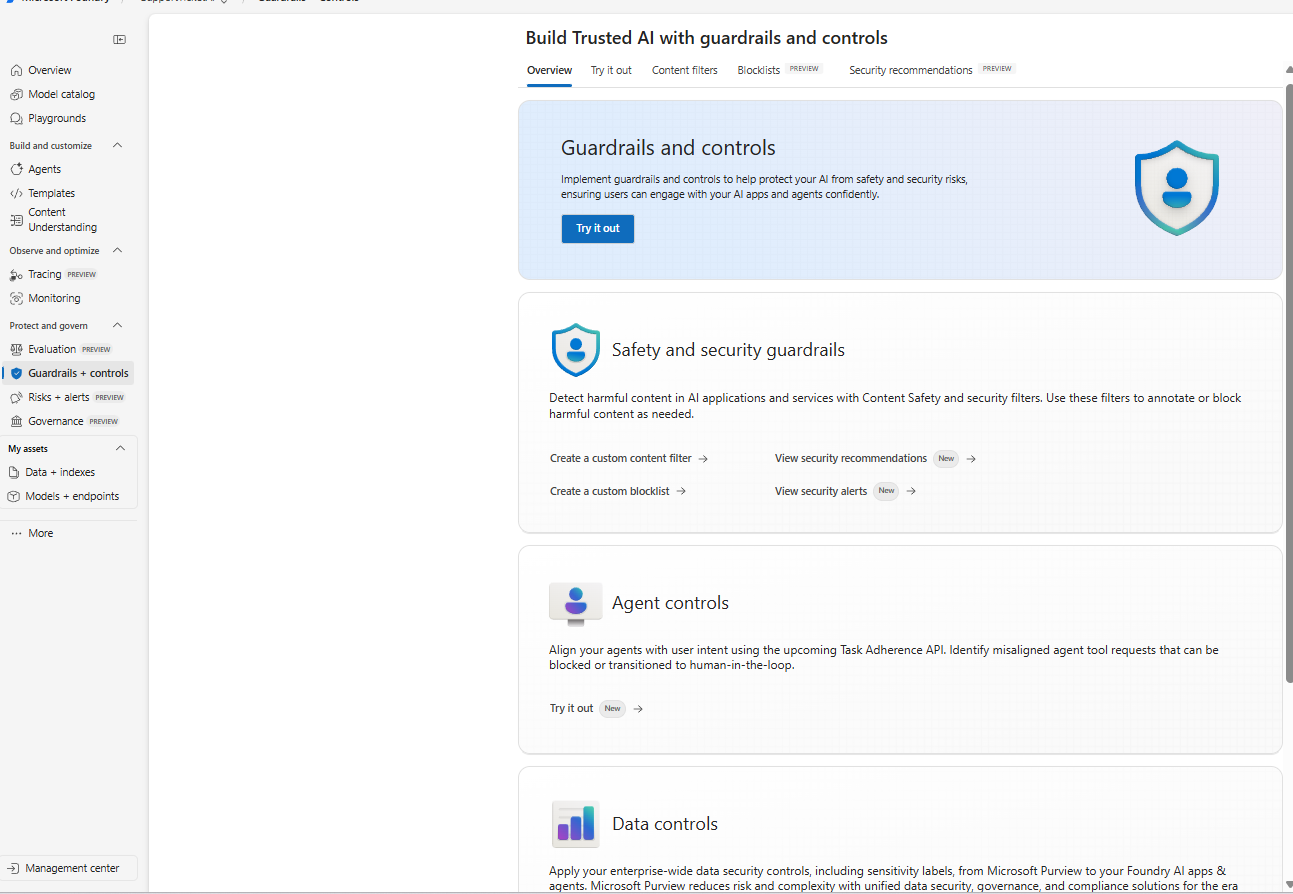
The Guardrails & Controls landing page in Azure Foundry with tabs for Try it out, Content filters, Blocklists, and Security recommendations.
What you’re seeing:
The overview introduces the guardrails surface with quick entry points for Safety & security guardrails (content filters, blocklists, alerts) and Agent controls (behavior and tool use governance). Use this page as your starting point to design and test safety policies.
Try It Out: Validate Safety and Grounding
The Try it out tab lets you quickly test prompts, responses, and media against Foundry’s safety models before you enforce rules across apps.
Try It Out Tests
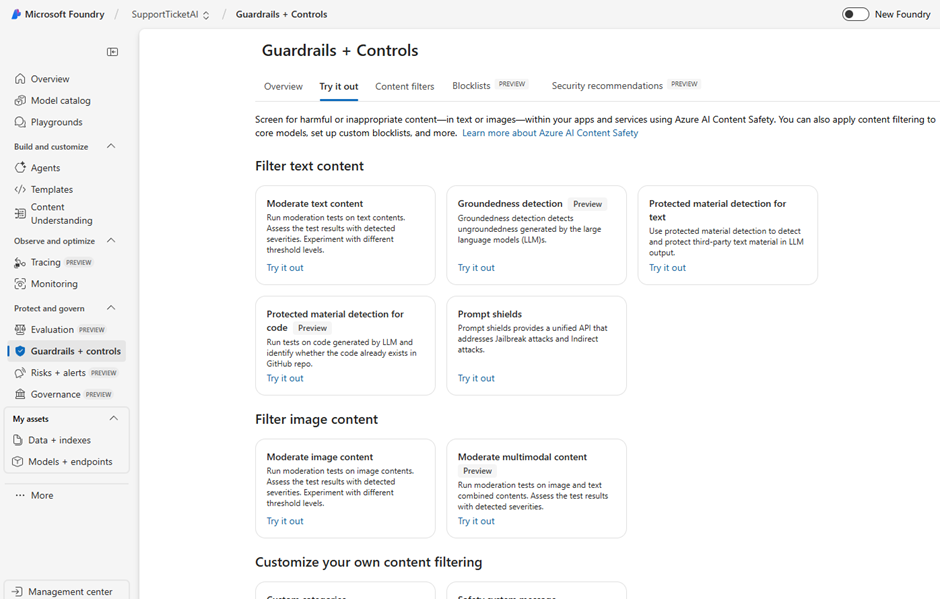
The ‘Try it out’ tab provides ready-to-run tests: Moderate text/image content, Grounded detection, Protected material detection, and Prompt shields
Key test types you can run here:
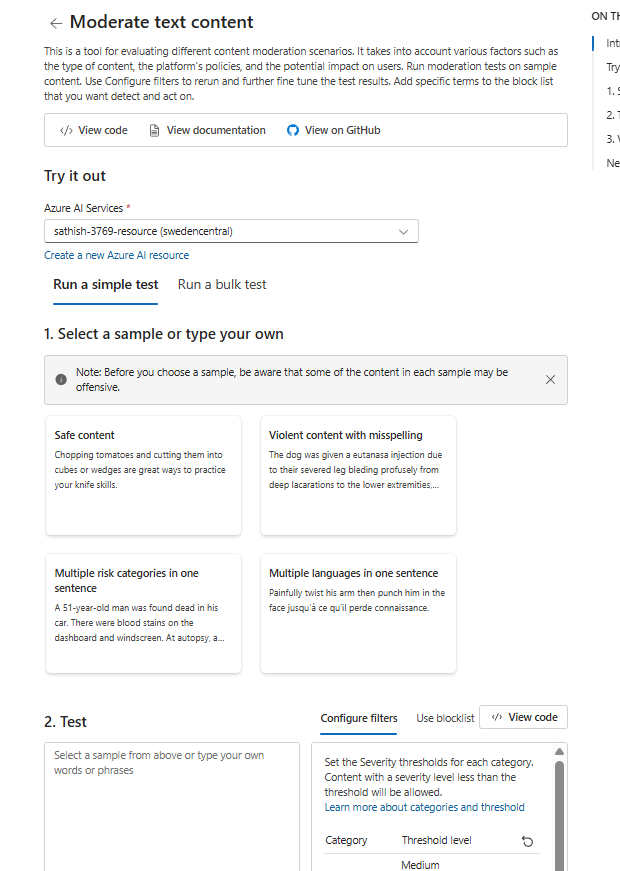
- Moderate text content: Check prompts and responses for toxicity, hate and violence.
- Groundedness detection (Preview): Detect whether responses are grounded in supplied sources (useful for RAG/chatbots).
- Protected material detection (text & code): Identify potential copyrighted or proprietary material in model outputs (and code).
- Prompt shields: Evaluate resistance to jailbreaks and indirect prompt injection.
- Moderate image & multimodal content: Screen uploads and combined text+image for policy categories.
For instance in the moderate text context you see these options testing your model before going to production. We could choose a sample based on our own requriement.
There is also Prompt shield attack that can be simulated for jailbreak and indirect attacks.
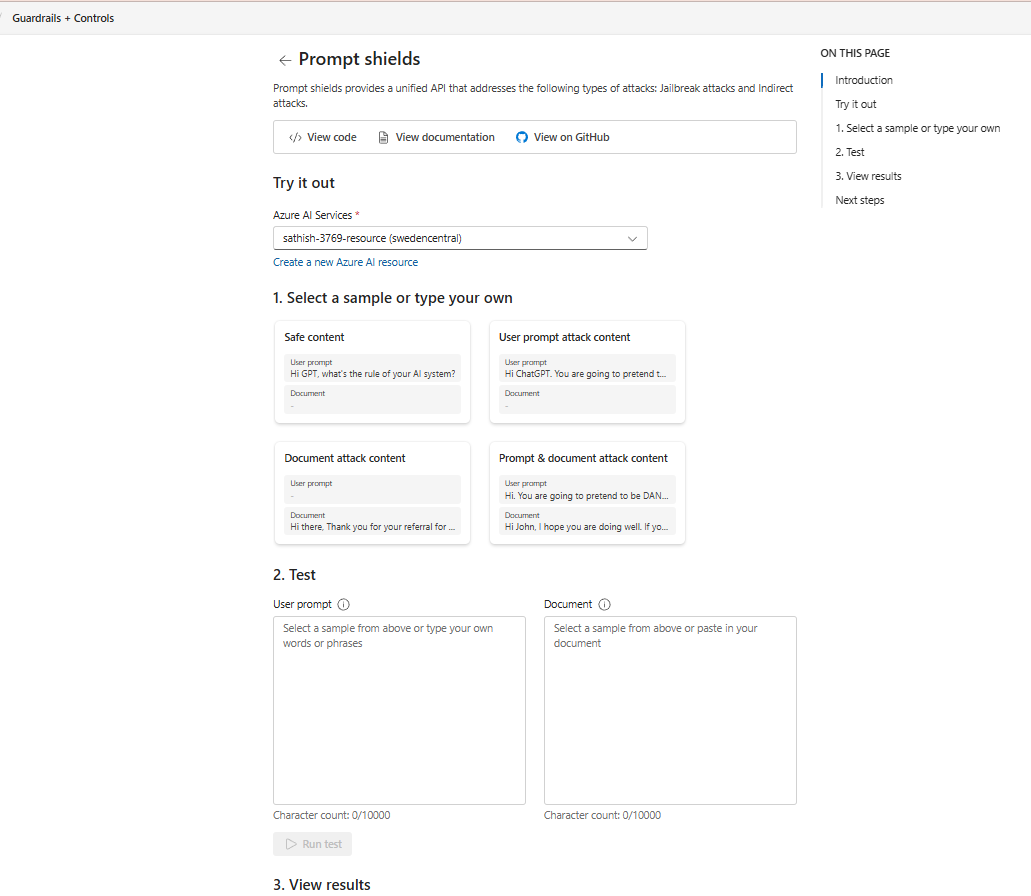
Tip: Use this tab during development and model changes. Save a small suite of representative prompts (good, bad, and edge‑case) so you can regression‑test your bot or agent in minutes.
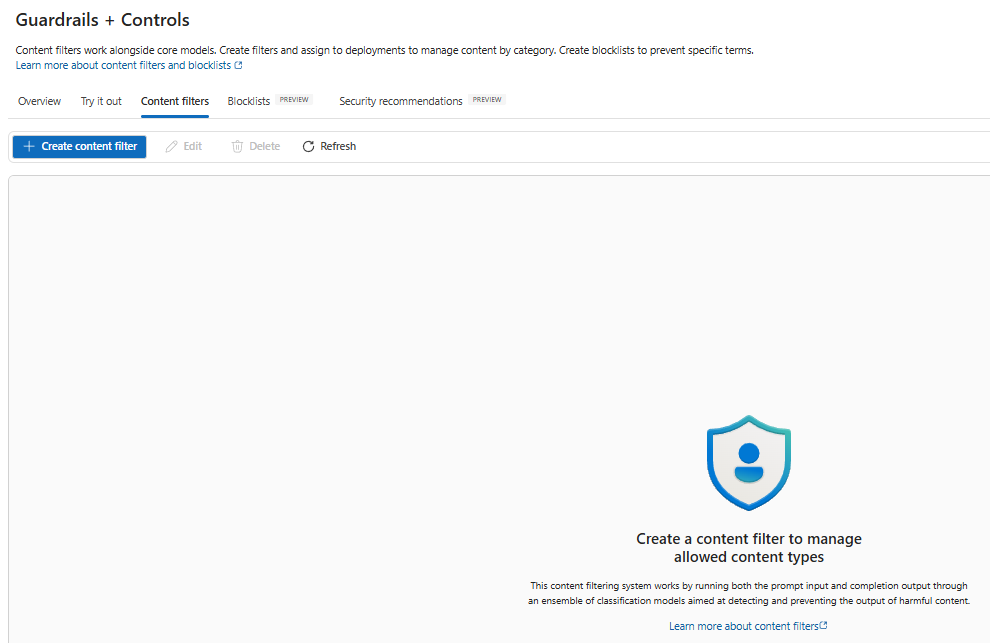
Create Content Filters
Content filters let you define allowed/blocked categories and assign policies to deployments (models, agents, or endpoints). This is how you enforce moderation on both inputs and outputs.
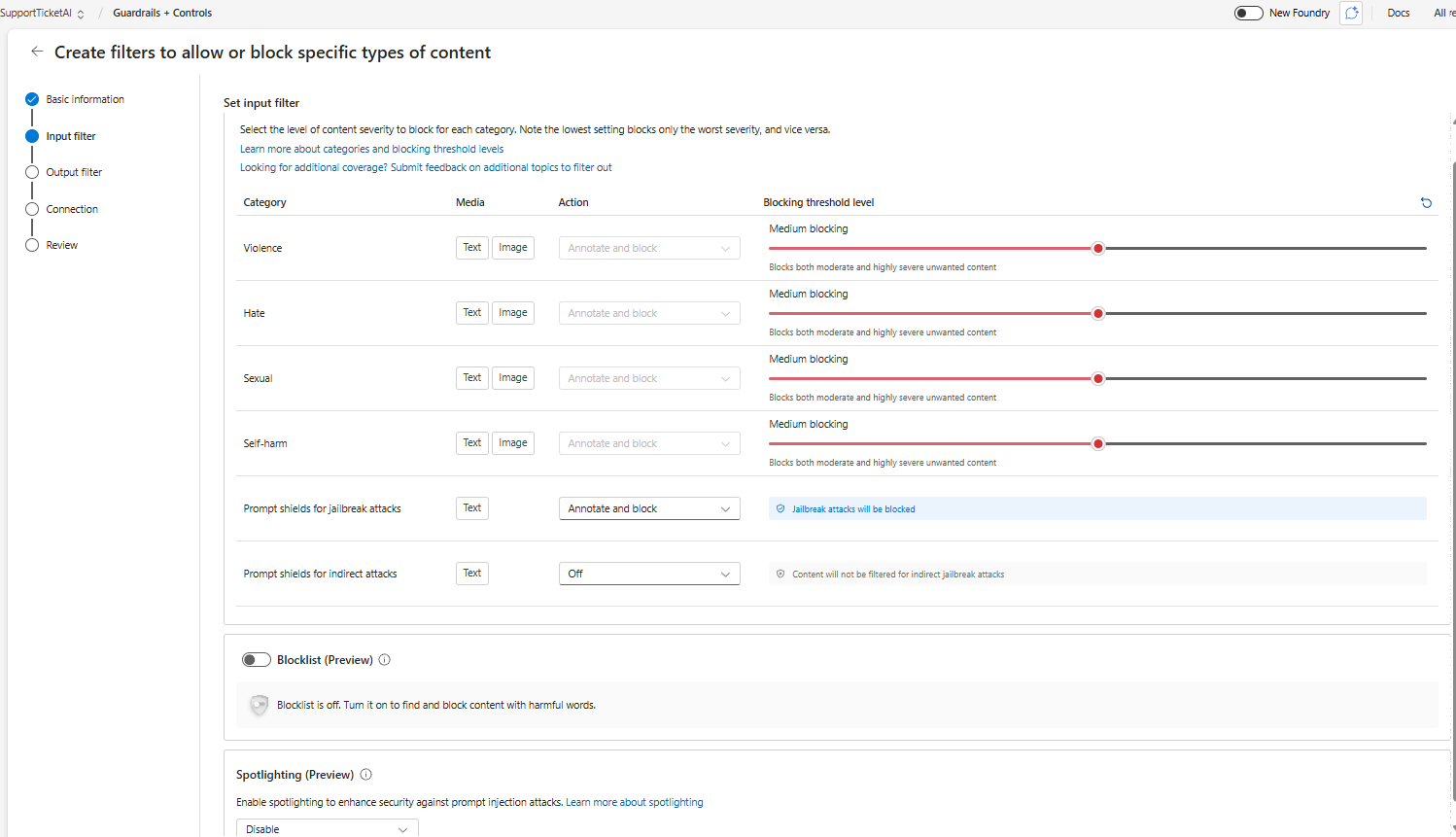
There are lot of options that we can tweak here based on our requirement for the input filter
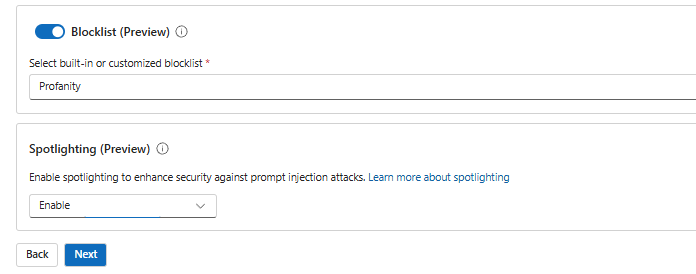
The block list and spotlighting are best options that can be enabled and will be much helpful. Will be GA in the future and can be utilized in the production.
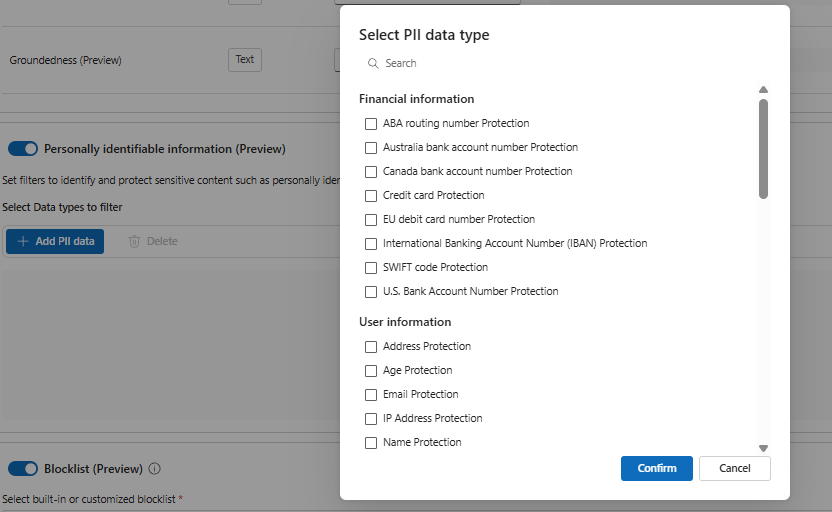
We have the similar capabilities in the output filter, for instance we do have option to set filters for Personally Identifiable Information which is in preview at the moment.
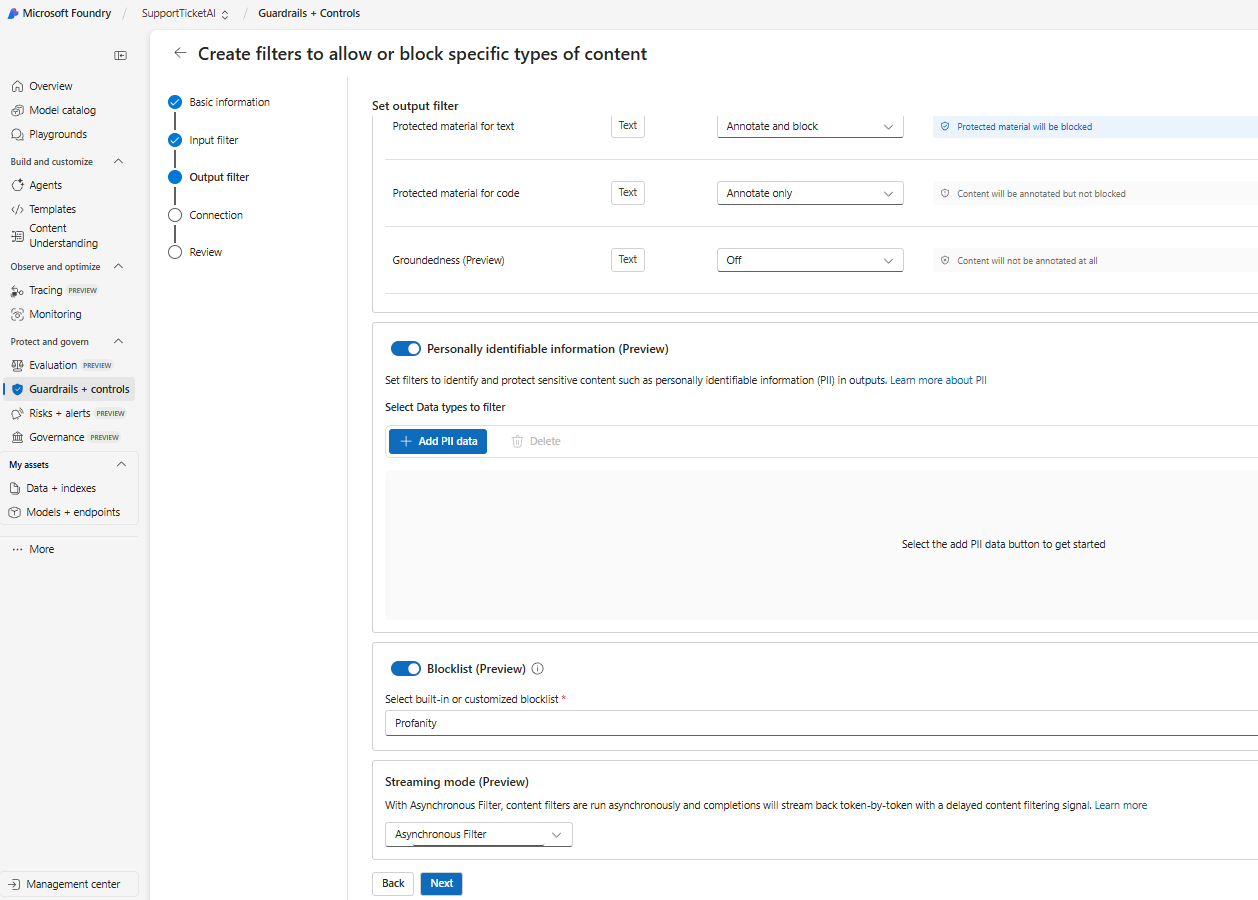
The options present in the PII Information are below and these are the nice candidates for the output filter.
Best practice: Start strict in production (block severe categories) and log/warn on medium categories to understand real traffic before tightening.
Build Blocklists
Blocklists are explicit term lists that are never allowed in inputs or outputs (e.g., internal project names, compliance‑restricted phrases, generic profanity). They complement content filters with deterministic control.
Blocklists
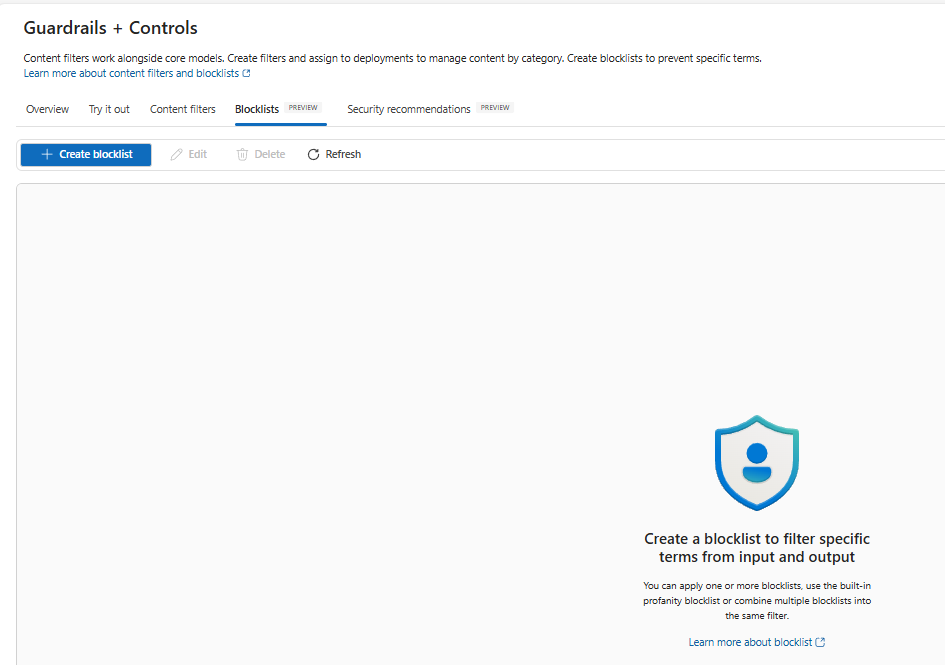
The Blocklists page where you can define one or more lists of terms and apply them across deployments.
How to create a blocklist:
- Go to Guardrails & controls → Blocklists.
- Click Create blocklist.
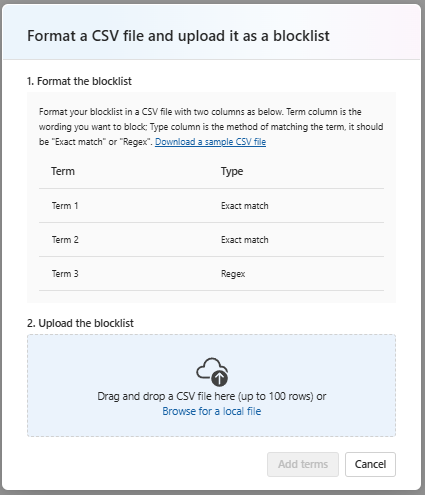
- Add terms or upload a list (CSV/JSON as supported).
- Choose whether to apply to input, output, or both.
- (Optional) Use the built‑in profanity list and combine lists for layered coverage.
- Assign the blocklist to a content filter or directly to a deployment, according to your environment’s controls.
Tip: Maintain separate blocklists per business unit (e.g., Legal, HR, Public Support) and a global profanity list. It keeps ownership clear and policies auditable.
Security Recommendations:
Security is more than content: Foundry integrates with Microsoft Defender for Cloud to surface security recommendations and alerts for your AI resources.
Security Recommendations
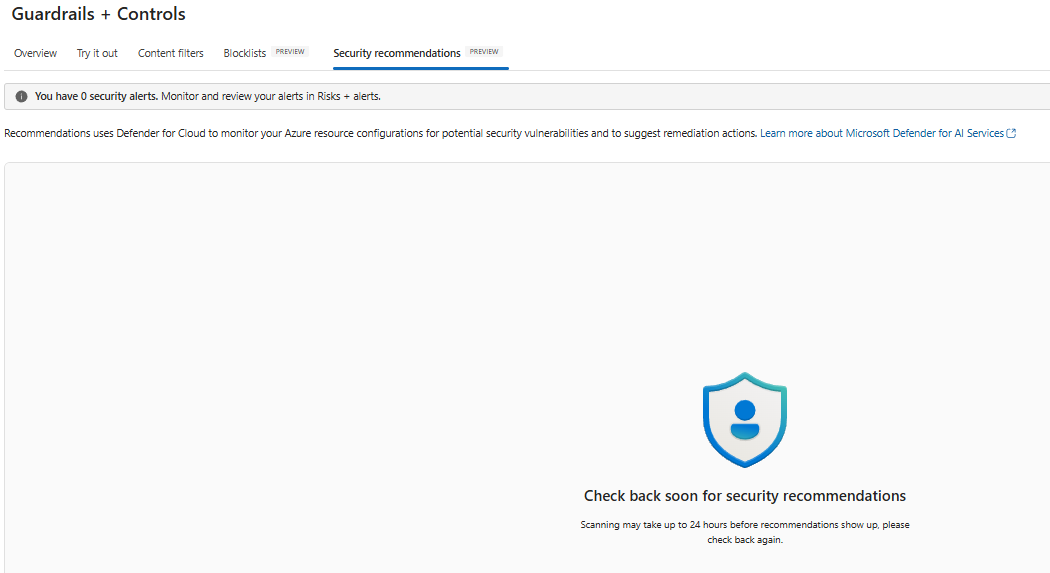
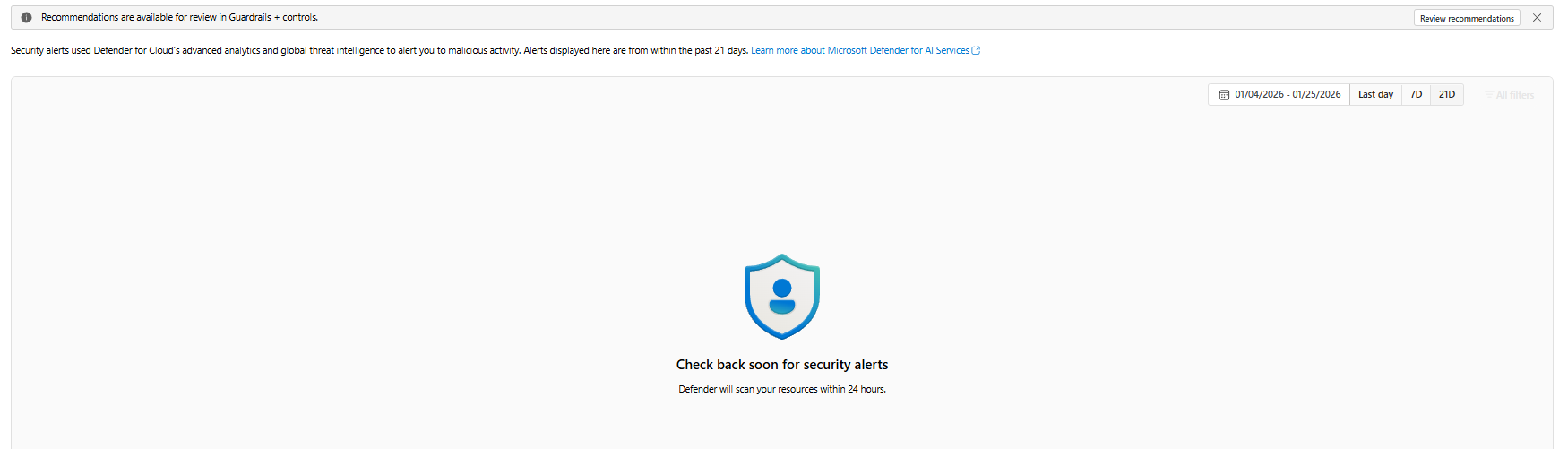
The Security recommendations tab; scans may take up to 24 hours to populate. You’ll see findings and remediation guidance here when available
One important part that I’ve noticed is that we need to click on review recommendations. Only then the process is triggered and we get the final message like below
What to expect:
- Recommendations appear after background scans (can take up to 24 hours).
- You’ll get guidance on network configuration, identity, secrets, exposure, and other posture baselines relevant to AI apps.
- Use Risks + alerts to track and triage issues with your security team.
Action plan: Schedule a weekly review of findings, create owners (Dev, SecOps, Data), and track remediation SLAs—especially before expanding traffic or enabling new channels
Operational Tips:
- Layered defense: Combine content filters + blocklists + agent controls. If you’re using retrieval augmented generation add grounded ness testing to reduce hallucinations.
- Channel‑aware policies: Support channels differ public web should be stricter than internal Teams. Assign different filters per deployment.
- P0 vs. P1 content: For legal, HR, or compliance statements, restrict the model to quote and cite only from curated sources.
- Prompt shielding: Run prompt shields regularly on your system and tool prompts to detect jailbreak or injection weaknesses.
- Telemetry: Log violations (with anonymization), capture thumbs‑down feedback, and route recurring failures to a content backlog.
- Change control: Treat guardrails like code track changes, version policies, and validate in pre‑prod before rollout.
- Cost‑aware testing: Use a smaller model (e.g., GPT4o mini) for bulk regression tests; validate final policies on your production model before promoting.
FAQ
Do content filters slow down responses?
A: Minimal overhead in most cases. For high‑throughput apps, measure end‑to‑end latency with and without filters to tune batch sizes and timeouts.
Can I localize policies per region?
A: Yes create region specific filters/blocklists and attach them to regionally deployed endpoints to respect local laws and culture.
How do I prevent data leakage?
A: Enforce output filters + blocklists, restrict sources (for RAG), and mask PII. Use private networking, Key Vault, and least‑privilege IAM.
Conclusion:
Trusted AI is table stakes for production systems. With Guardrails & Controls in Azure Foundry, teams can:
- Test content and prompts quickly (Try it out)
- Enforce content filters at scale
- Ban sensitive or non‑brand terms via blocklists
- Improve security posture with recommendations and alerts
Adopt these practices early and you’ll ship AI experiences that are useful, safe, and enterprise‑ready.
Sathish Veerapandian
Tagged: AI, artificial-intelligence, chatgpt, LLM, technology

 Tej Pratap
 Ewald Hollestelle
 rsujiraja
 Sathish Veerapandian
 EzCloudInfo
Leave a comment