
Microsoft Teams have been the highly adopted collaborative platform in few months time.It has been helping a ton worldwide and the new features that is been released every now and then makes us stay connected and expands the efficiency in every organization who have been using them.
By default Microsoft Certified Room systems are forward compatible with the new Skype for Business or Teams services while maintaining the same client user experience.Usually when any organization has only Skype then these meeting rooms will have the options only Skype enabled on them.
In this article we will be looking at how to enable the existing Skype room systems to have the capacity to host Teams Meetings in them.
Example screen of a Skype room system panel where we have the below options on the supported meeting mode while configuring them at the initial stage .
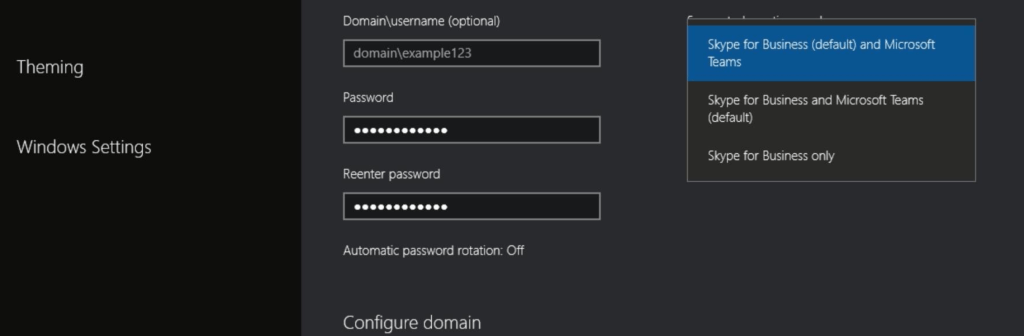
These devices are basically on KIOSK mode running on recommended versions of Windows 10 currently supported one being 1909 at the time of writing this blog.
Continue reading


 Tej Pratap
 Ewald Hollestelle
 rsujiraja
 Sathish Veerapandian
 EzCloudInfo