
This blog post provides a comprehensive guide for SOC analysts to investigate and respond to alerts generated by Microsoft Purview’s Insider Risk Management and Adaptive Protection. It outlines step-by-step workflows for accessing alerts, triaging incidents, analyzing user behavior, managing cases, and leveraging Microsoft Defender integration.
The guide also includes best practices and suggested screenshots to help SOC teams effectively mitigate insider threats and maintain organizational security.
Introduction
Microsoft Purview’s Insider Risk Management (IRM) and Adaptive Protection empower SOC teams to detect and respond to insider threats dynamically. This guide walks through how SOC analysts can triage, investigate, and respond to alerts generated by these systems.
Part 1: Investigating Insider Risk Management Alerts
1. Access the Alerts Dashboard
Go to: Microsoft Purview Portal > Insider Risk Management > Alerts
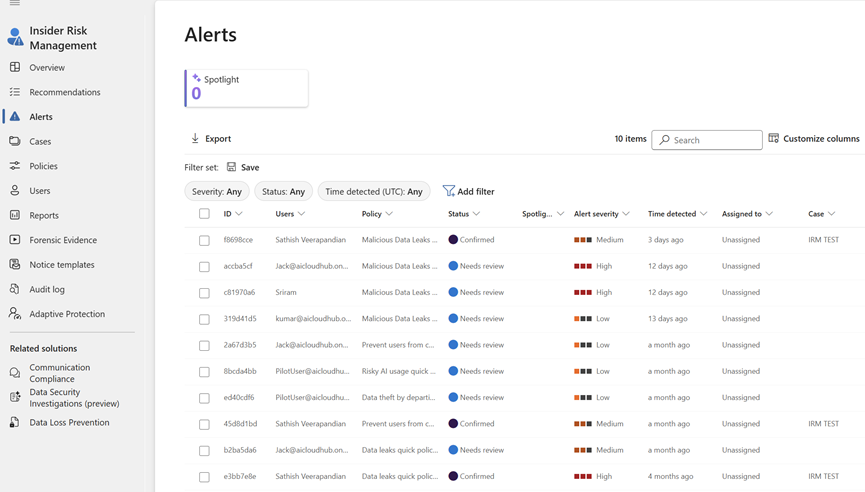
Actions:
Filter by Status (Needs review, Active, Resolved)

Filter by Severity

Use Spotlight alerts for high-priority cases

2. Open and Review Alert Details
Tabs to Explore:
Activity Explorer: Timeline of user actions

Activity details – Gives more information on the activity
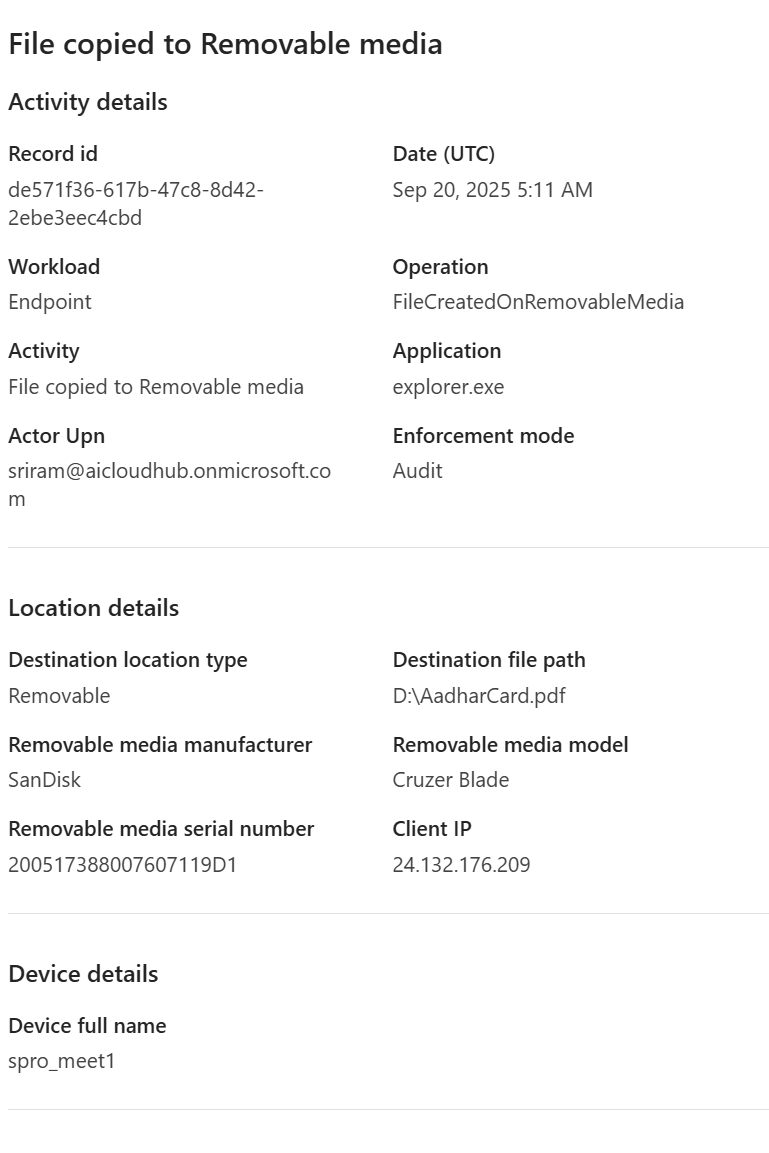
Also you have the alert ID and the Type of the activity that generated this alert

3. Triage the Alert
In Triage the alert we have the options to

Options:
Confirm and Create Case

Add to Existing Case
Dismiss Alert
In the dismiss alert we have the option to justify the reason to dismiss the alert. Providing additional notes is very important for feedback
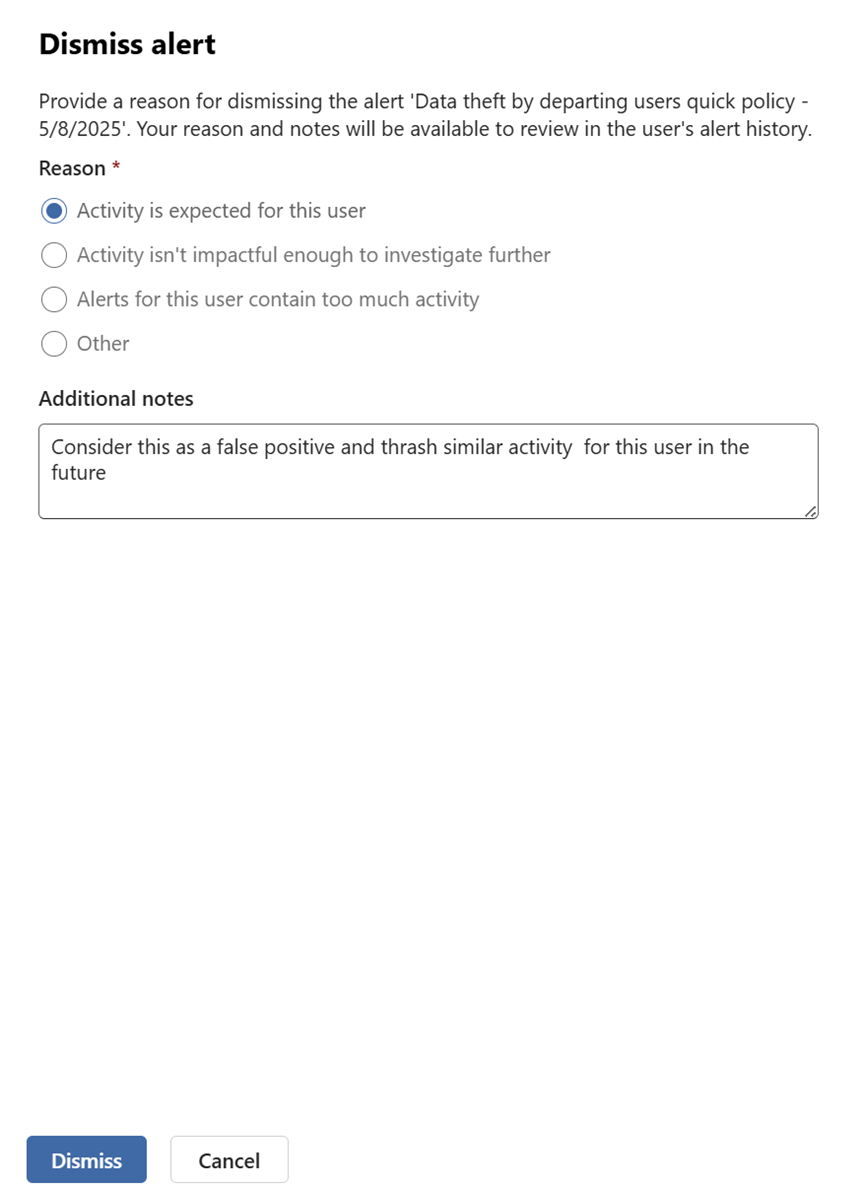
Lastly there is also an option to directly assign these alerts to SOC engineer directly

All these goes with few clicks and lets say if we click on confirm and create case it goes to the next step of investigation. Insider Risk Management Cases.
All Risk Factors
All Risk Factors give user risk factors about the triggering event, alert history and activity risk factors
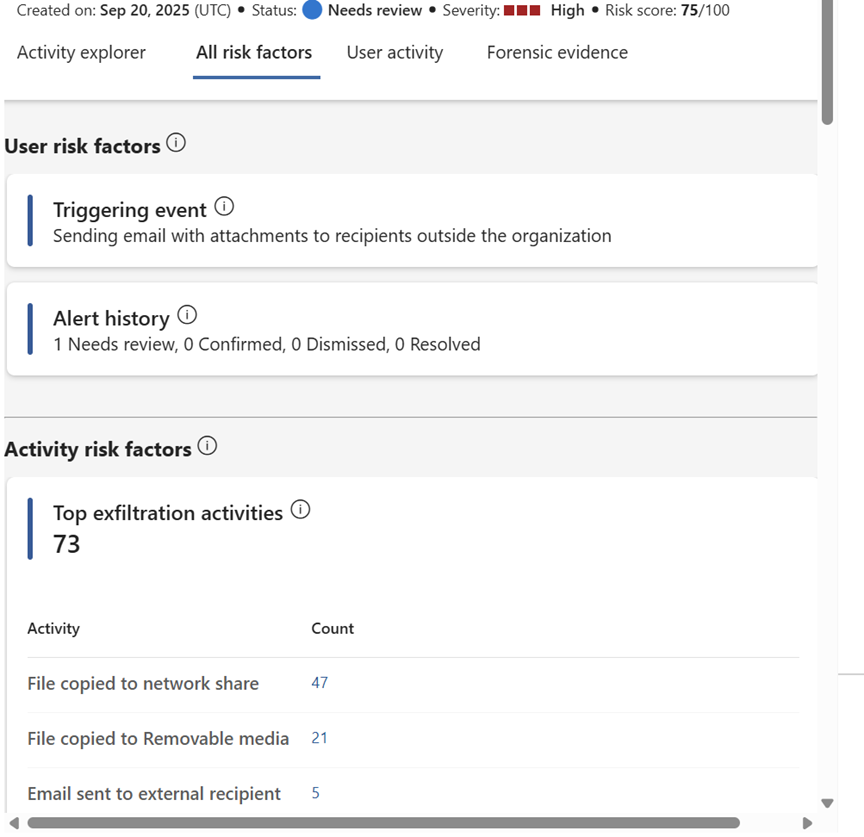
Risk Factors helps us to determine how risky the user activity is based on the alerts generated. It also includes activities like unallowed domains, cumulative exfiltration and more
4. Investigate User Behavior
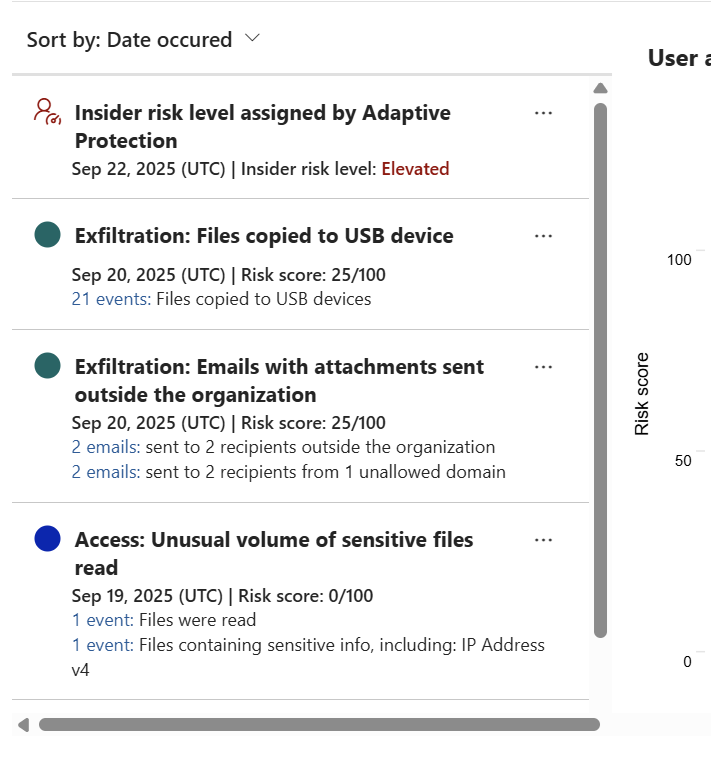
Use the User Activity tab to explore broader patterns. This gives the timeline of the activity that was scored for the user and also an interactive chart about the user when the each activity was performed.
Actions:
Review recent downloads, shares
Check for triggering events (e.g., resignation)
Assess risk score trends
5. Manage Cases
Here SOC analysts can open a case to investigate associated activities, accessed content, and other relevant details
Go to: Microsoft Purview Portal > Insider Risk Management > Cases
Here we have quite a lot of options
Actions:
Assign cases
Add notes
Escalate to HR/legal or eDiscovery
There are also options like send email notice, escalate for investigation, Automate actions, share and more which would definitely help your SOC Team

The Automate part for instance you can go to Manage Power Automate Flows

We have also option investigate Data Security with AI for better productivity of the SOC Team. This feature requires the DSPM for AI to be enabled.
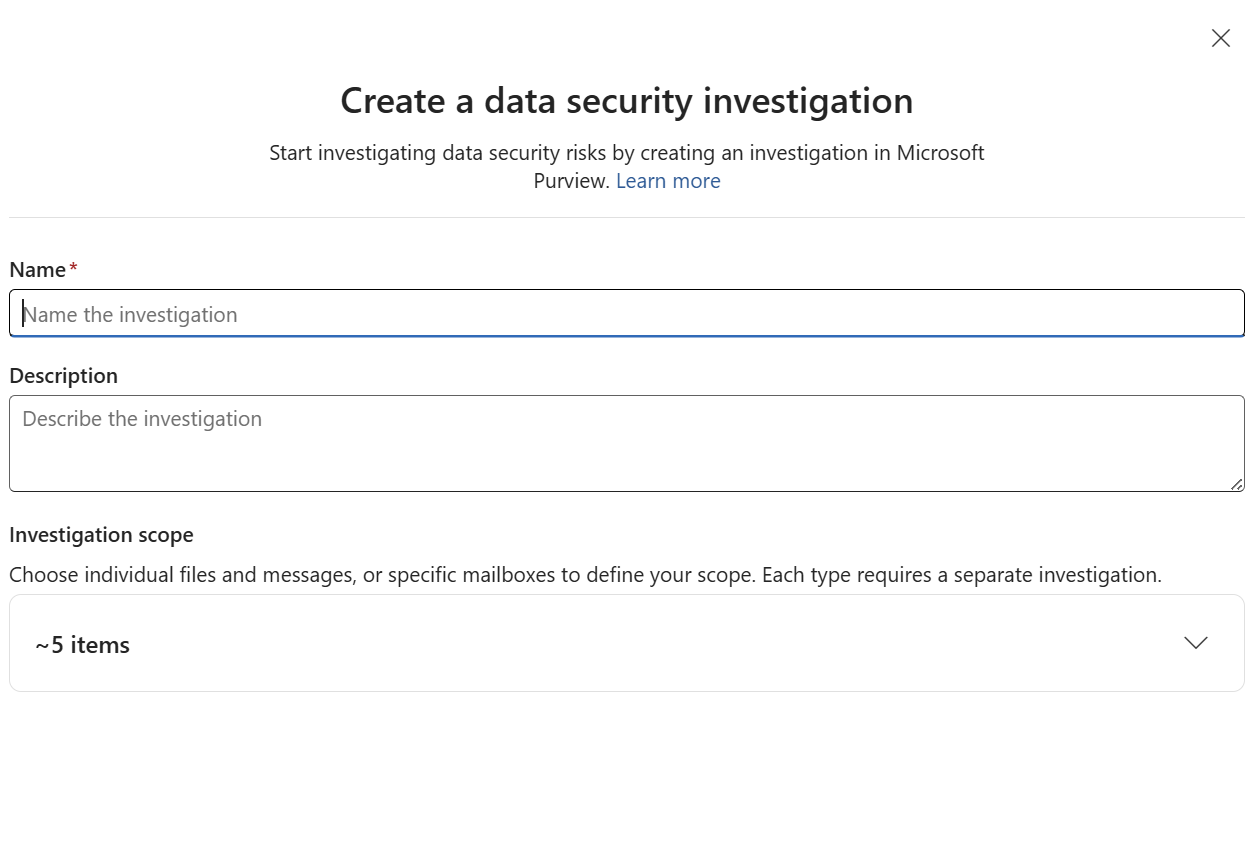
We can also benefit the Ediscovery premium if its already enabled in your tenant for the option escalate for investigation.

The content explorer feature gives option gives an option to examine the content captured in this policy. This can definitely help in fine tune your policy just in case if any false positives are detected in the policy.

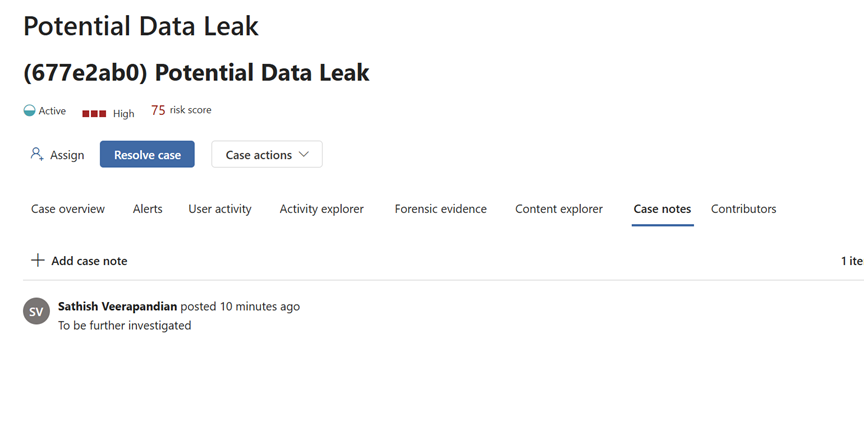
For instance there is also Contributor section where multiple SOC analysts can investigate on this particular incident

There is also case notes where all the investigators can add their references
With the successful implementation of Insider Risk Management (IRM) in Microsoft Purview, we’ve seen how SOC teams can be empowered to proactively detect, investigate, and respond to insider threats. The built-in capabilities from alert triage to case management offer a robust framework for security operations.
If your organization has Microsoft 365 E5 licenses, it’s highly recommended to leverage these IRM features within Purview to strengthen your insider threat response strategy.
In the next blog, we’ll explore how SOC analysts can investigate Adaptive Protection cases and use dynamic risk-based controls to further enhance security posture.
Regards
Sathish Veerapandian
Tagged: AI, artificial-intelligence, cybersecurity, Security, technology

 Tej Pratap
 Ewald Hollestelle
 rsujiraja
 Sathish Veerapandian
 EzCloudInfo
Leave a comment