
Digital Operational Resilience Act (DORA) is reshaping how EU financial entities manage ICT risk, resilience testing, incident reporting, and third‑party risk. If you run Microsoft 365, Microsoft Purview Compliance Manager gives you a practical way to translate DORA requirements into actions, evidence, and measurable progress. This guide walks through a clean, step‑by‑step implementation flow from setting up a DORA assessment to assigning improvement actions and tracking your score, so you can be audit ready without drowning in spreadsheets.
Why use Microsoft Purview Compliance Manager for DORA ?
- Prebuilt assessments: DORA assessment templates map regulatory articles to actionable controls you can assign and track.
- Control mapping: Microsoft‑managed baselines and customer‑managed controls provide clarity on shared responsibility.
- Improvement actions: Structured tasks with owners, due dates, and recommended steps create accountability.
- Evidence management: Centralized artifacts (documents, links, screenshots) simplify audit preparation.
- Real‑time scoring: Compliance scores help prioritize high‑risk gaps and demonstrate progress.
Prerequisites and approach
- Access: Ensure you have appropriate roles in Microsoft Purview (e.g., Compliance Manager Admin or similar).
- Scope: Decide which services to cover first; start with Microsoft 365 for a focused rollout.
- Vanilla setup: Use a fresh assessment group to avoid inherited noise and control drift.
Quick Tip
Can also use the default user access options available from the Assesment option in the Compliance Manager Portal
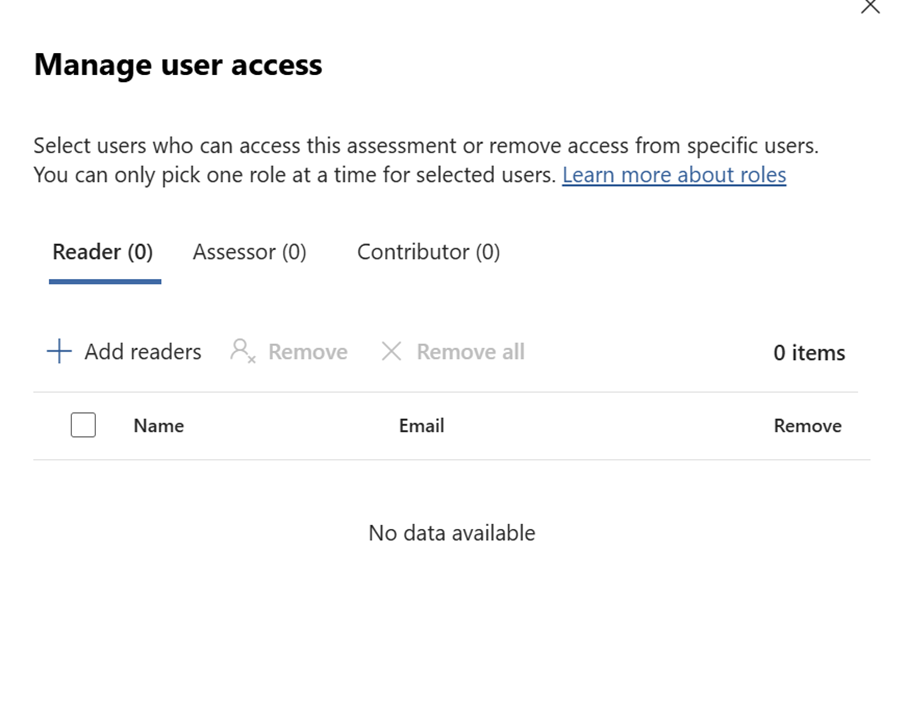
Step‑by‑step setup in Compliance Manager
Create and configure your DORA assessment
- Open Purview: Go to Microsoft Purview portal → Compliance Manager – Navigate to assessment – Select Regulation
- Find templates: Search for “Digital” under assessment templates. (I was not able to find with DORA :))
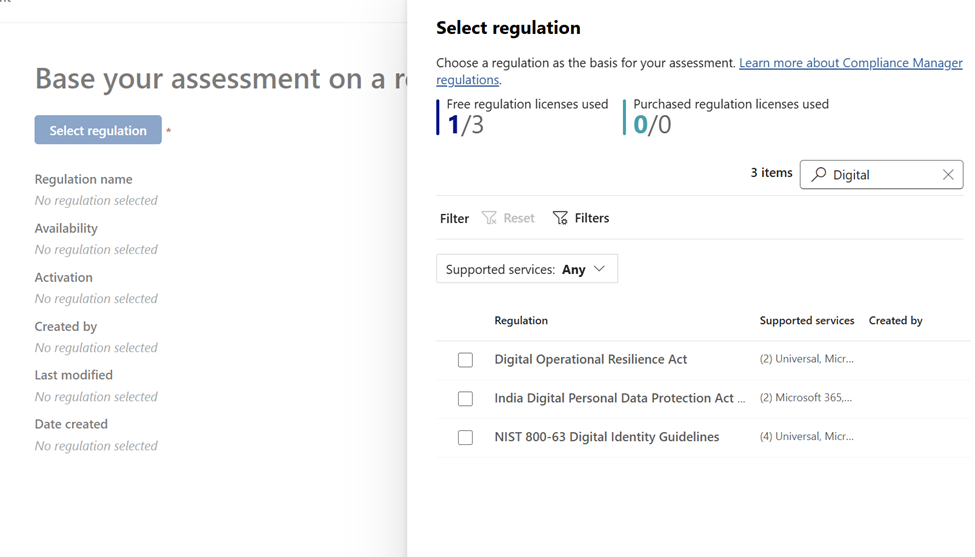
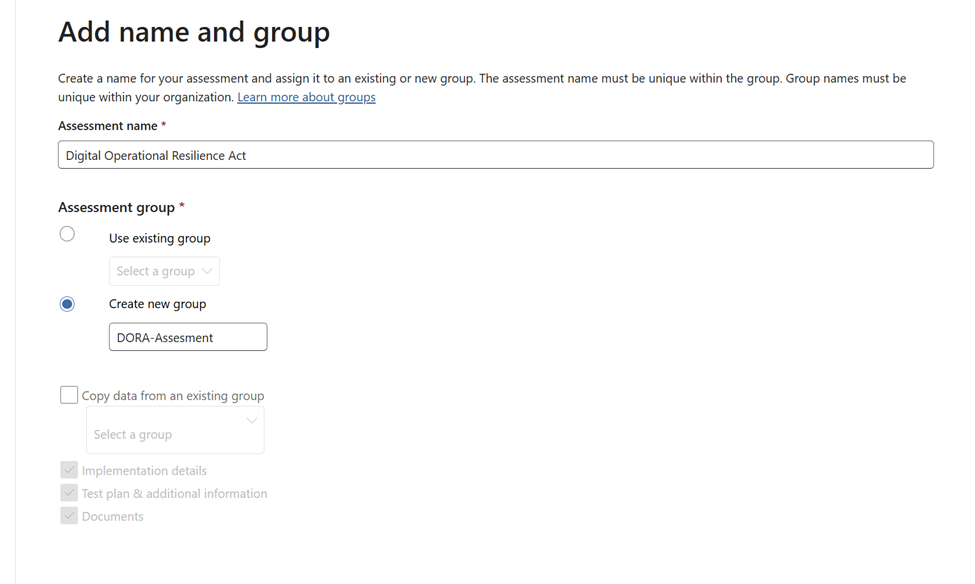
- Name and group:
- Assessment name: Use a clear naming convention (e.g., “DORA–M365–2025H1”).
- Group: Prefer a new group for a clean baseline. Avoid copying data unless you need historical continuity.
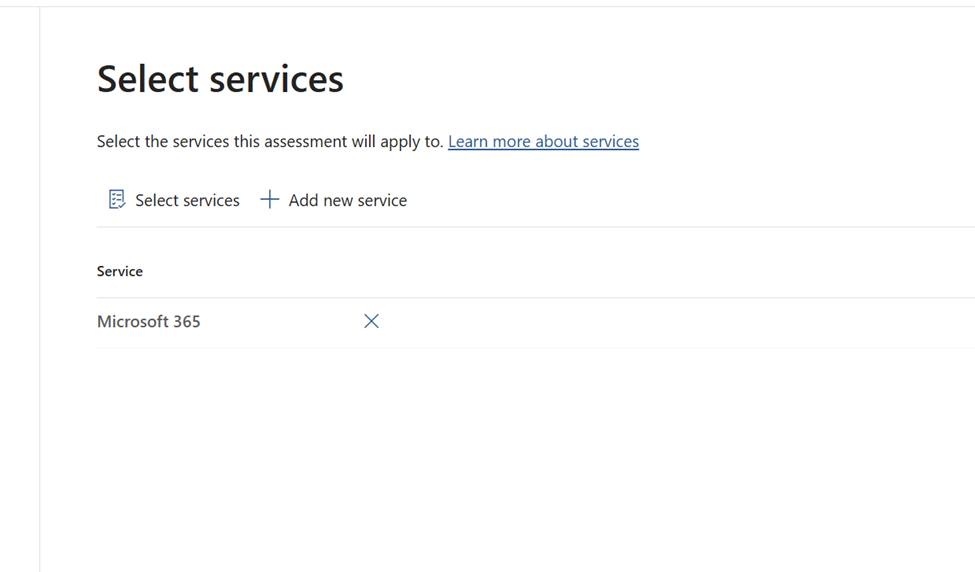
- Add services:
- Service selection: Add Microsoft 365 as the covered service for this assessment.
- Rationale: Keeps scope tight and reports relevant to your M365 environment.
After enabling them give it some time for the assessment to be completed
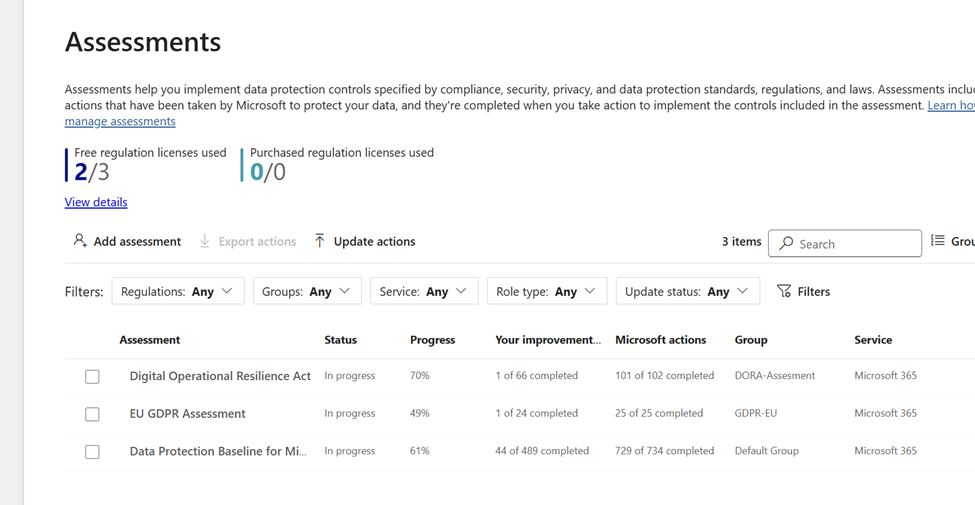
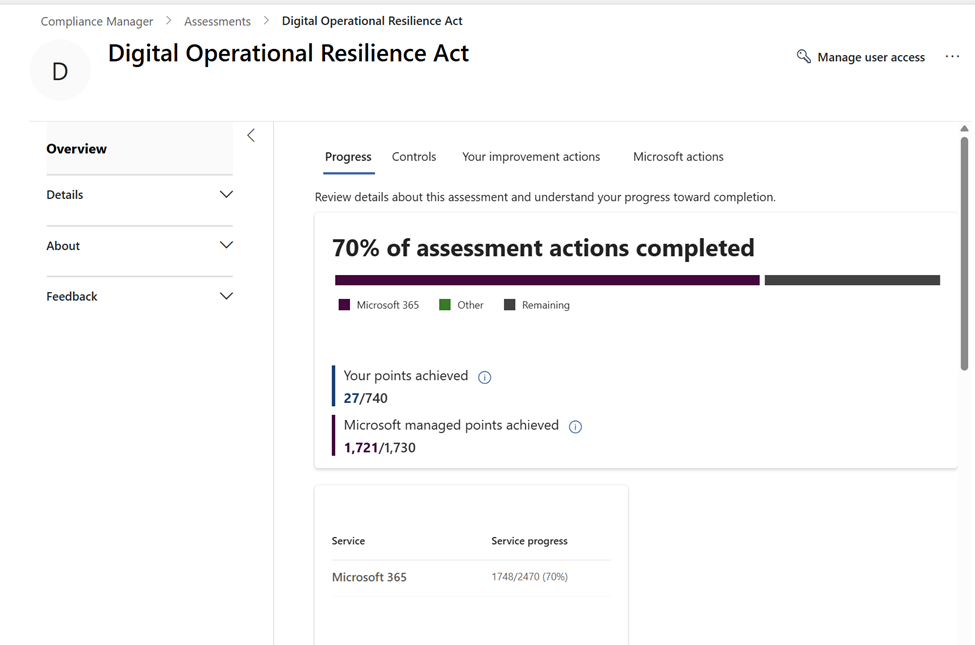
Initial review: Navigate to Overview once the status updates to see baseline scoring and categories.
Understand the overview and scoring:
- Two score components:
- Customer‑managed points: Based on the controls you must implement and evidence.
- Microsoft‑managed points: Baseline scores reflecting Microsoft’s built‑in data protection and platform controls.
- Baseline context: Microsoft‑managed points often align with Microsoft Data Protection Baselines; they provide coverage you inherit, but don’t replace your obligations.
Use the score: Identify biggest gaps fast focus on high‑impact controls first
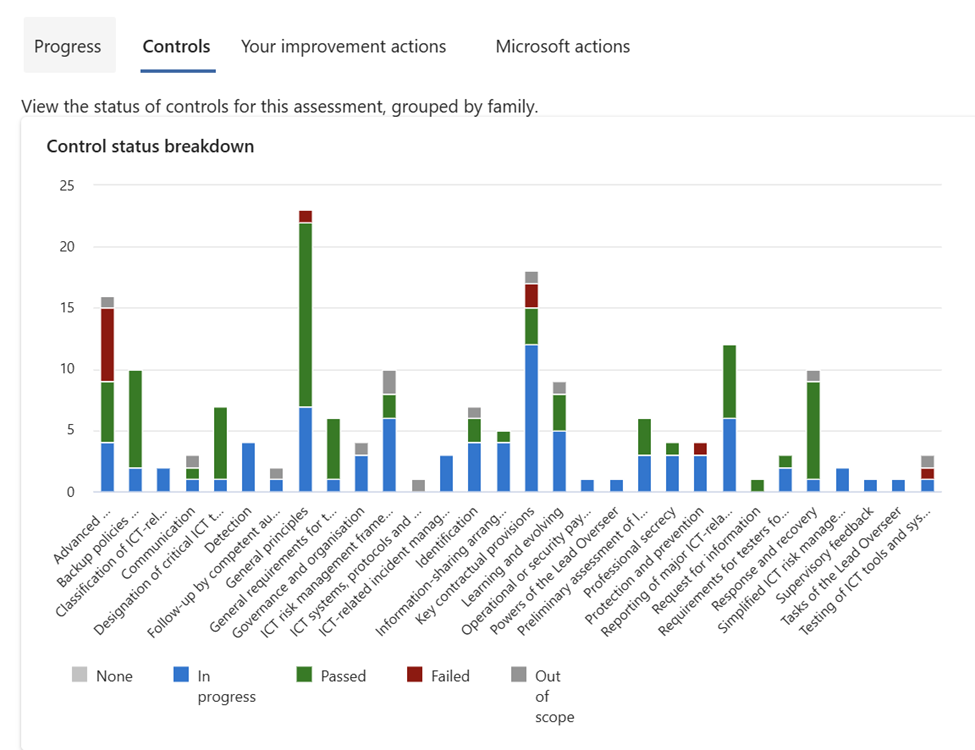
When navigating to the controls tab it basically drills down to all the controls that is required for the specific regulation that was selected. In the below examples you could see all the controls are related to DORA regulations
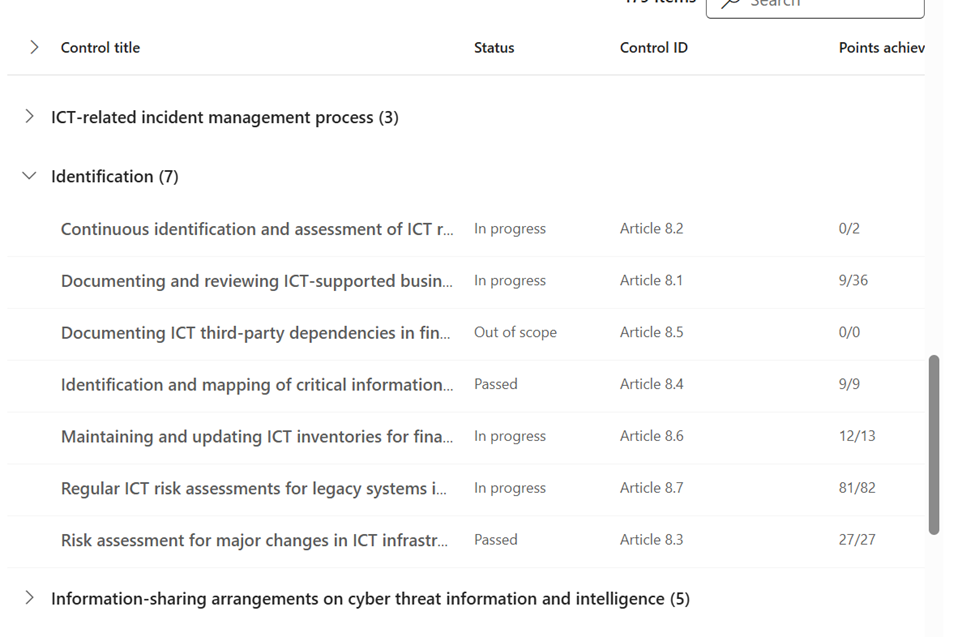
Drill down into DORA controls
For example if we need to drill down further we can look into the specifics and do a further deep dive
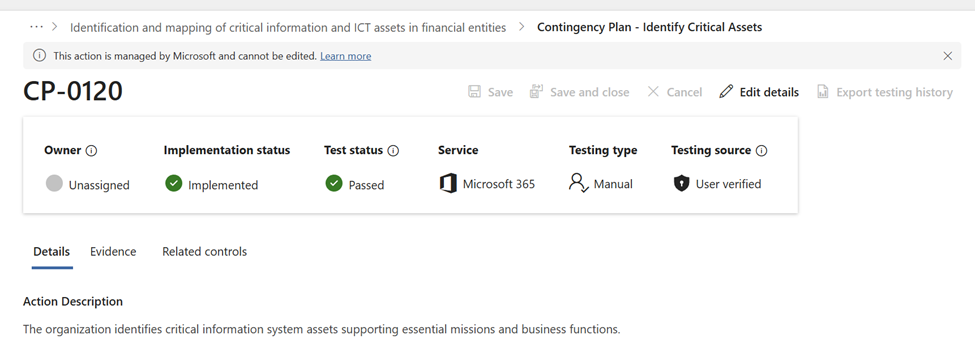
For further information of a particular article you can click on them and see the implementation status. There are also more details of examples like Evidence to Upload and see the related controls for this article. This helps a lot for instance when the Audit occurs can be easily navigated to this location and share that particular article number implementation status along with uploaded evidence and related controls.
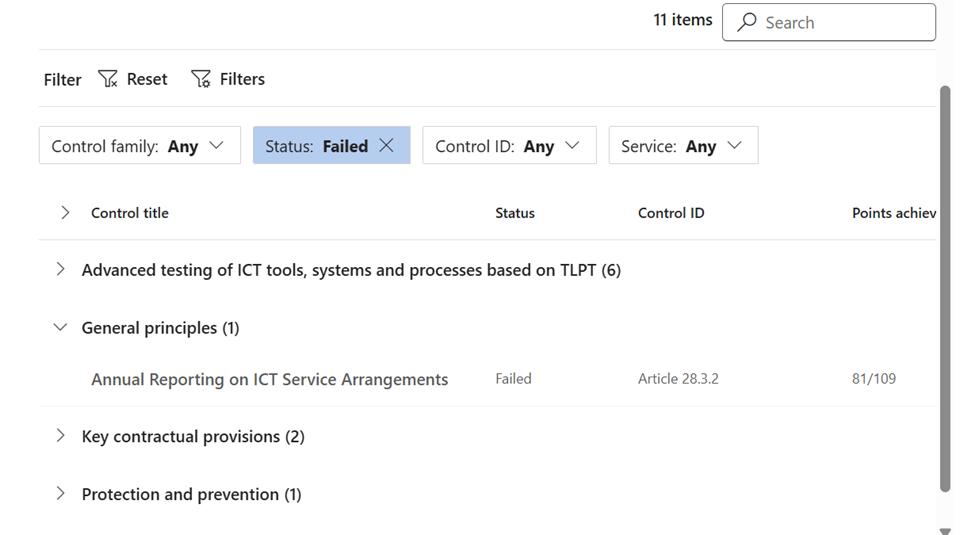
Lets take an example of the article number implementation which has shown failed
We have a good option to choose the control type , status , control ID and Service
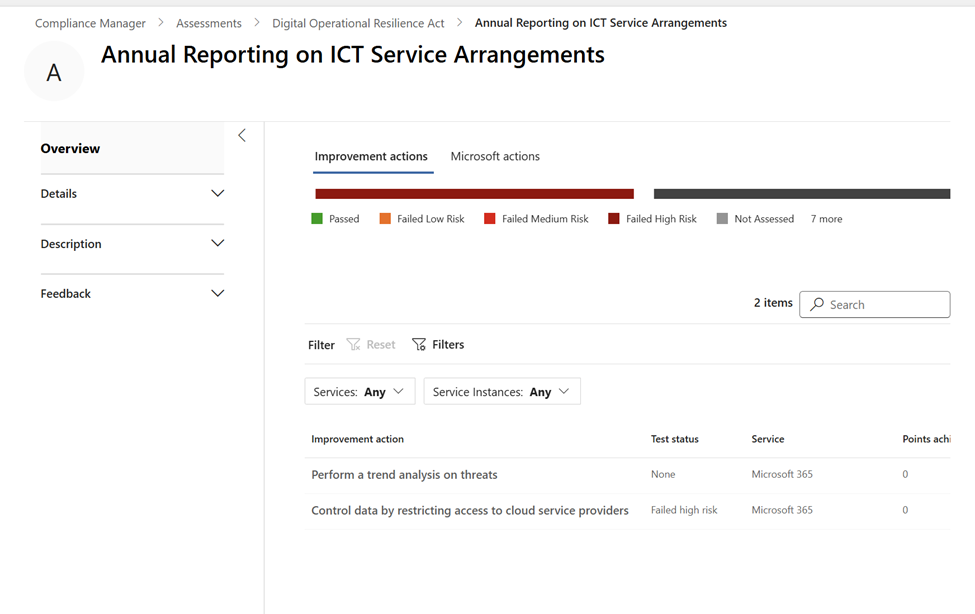
On a further drill down we see the improvement actions that can be done from our side
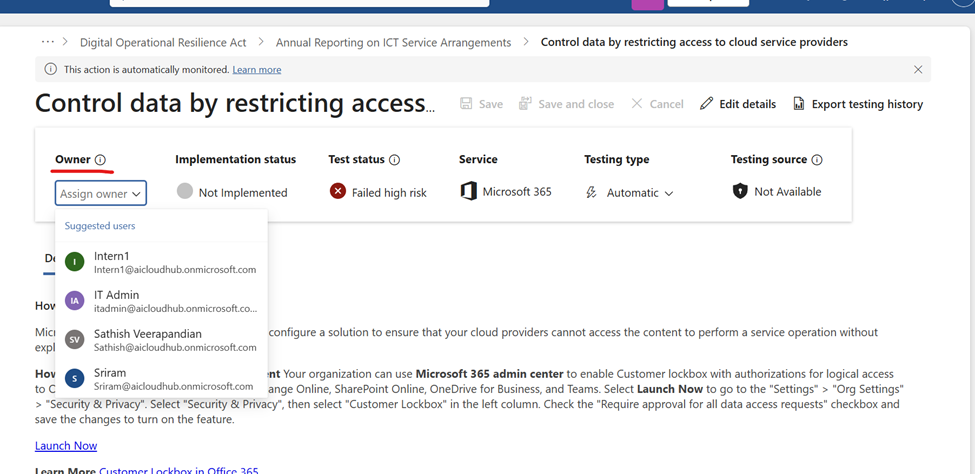
Lets pick the 2nd improvement action , there is an option to assign an owner and followup on this action time article number until it has been implemented
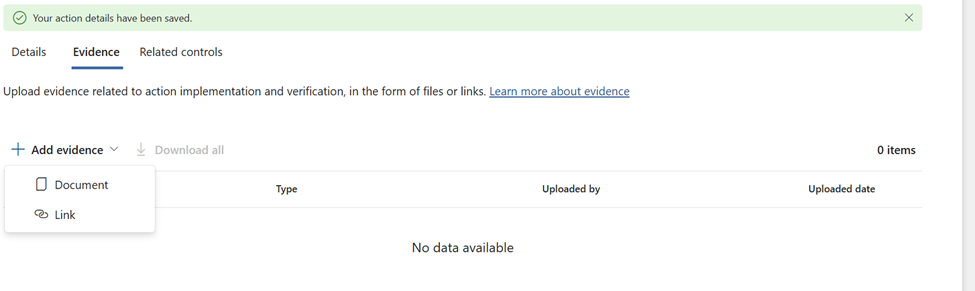
Lets say if the compliance officer implemented the necessary controls by following up on this action then the required evidences can be added (can be a document or a link)
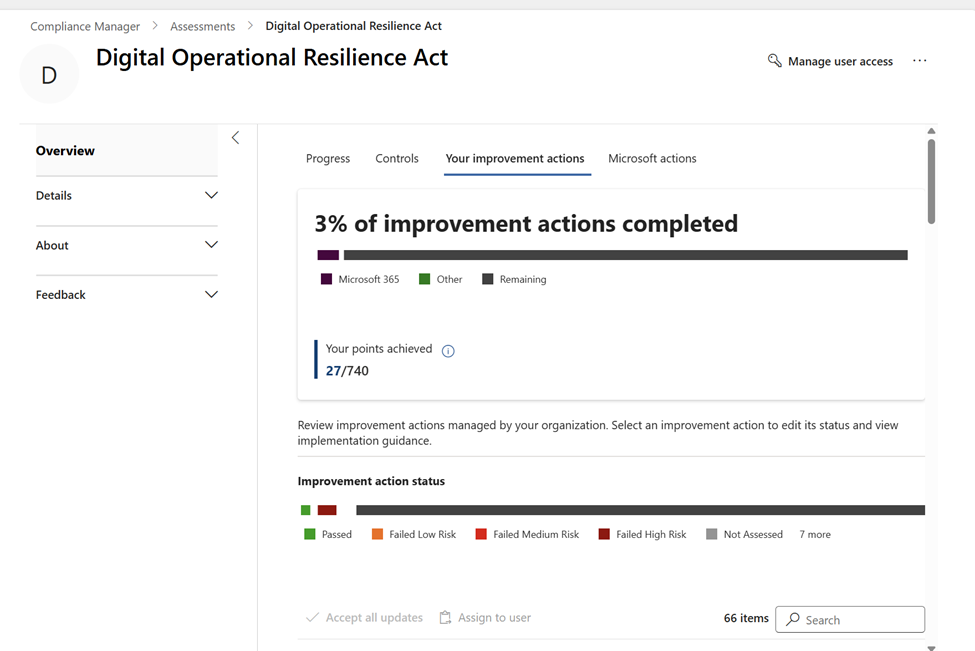
The next interesting thing is the improvement action tab which is of very good value
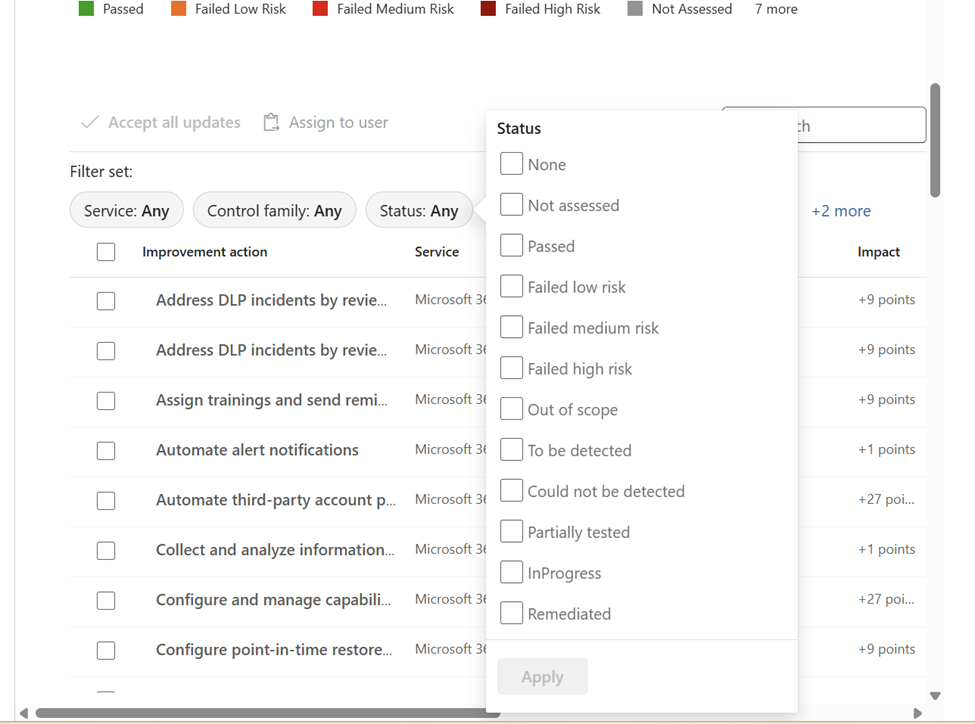
We can also do a filter and focus on the most impacted ones
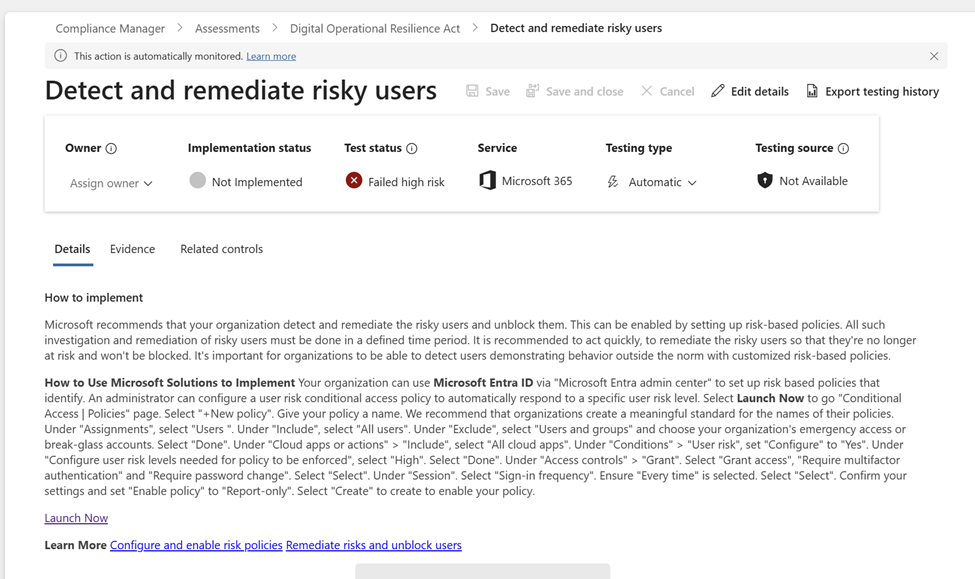
In this example we have chosen the failed high risk ones
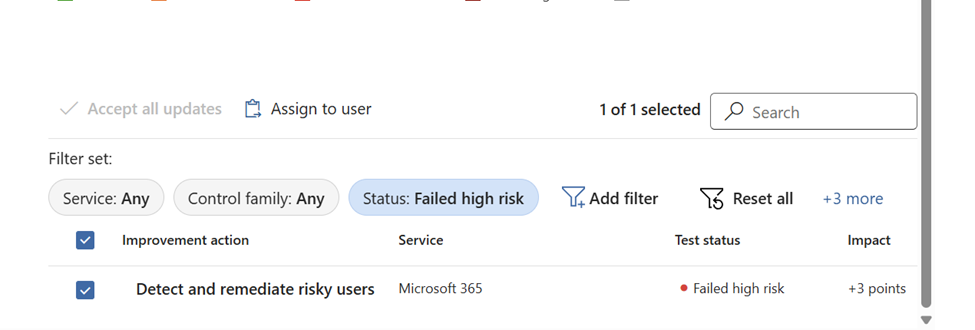
And when navigating to the assigned high risk item we get the recommended actions of how to implement them and more easier launch now helps a lot to implement them easily with the required administrative privileges. Also the associated Microsoft article is referenced so that this arcticle can be shared with the required Team for further analysis and plan for the implementation.
Operating rhythm and continuous improvement
- Weekly cadence: Review high‑risk failed actions, unblock owners, and track movement in the compliance score.
- Monthly checkpoints: Validate evidence quality, retire stale items, and re‑assess control effectiveness.
- Quarterly updates: Refresh assessments as templates evolve and DORA guidance changes; expand scope to other services if needed.
Practical tips
- Labeling: Use consistent names for assessments, groups, and evidence files for easy retrieval.
- Dependencies: Note upstream prerequisites (e.g., enabling audit logging) before tackling dependent controls.
- Change control: Tie improvement actions to tickets for traceable approval and rollback paths.
- Scope creep: Avoid adding multiple services at once; validate M365 first, then iterate.
Microsoft Purview Compliance Manager gives you a structured, evidence‑driven path to DORA compliance in Microsoft 365. Start with a clean DORA assessment, scope to M365, and let the platform populate baseline scores. Then prioritize failed high‑risk actions, assign owners, and attach solid evidence per article. Maintain a steady operating rhythm, and your DORA dashboard will reflect real, defensible progress toward digital operational resilience
Tagged: AI, Microsoft, Microsoft 365, Security, technology

 Tej Pratap
 Ewald Hollestelle
 rsujiraja
 Sathish Veerapandian
 EzCloudInfo
Leave a comment