
As AI systems move from proof of concepts to production, organizations must ensure their applications are safe, secure, and compliant without slowing teams down. Microsoft Azure Foundry brings these capabilities together under Guardrails & Controls, giving builders a central place to filter harmful content, govern agent behavior, block sensitive terms, and receive security insights.
In this walkthrough, We’ll learn how to use the Guardrails & Controls workspace in Azure Foundry with a focus on four areas:
- Try it out : experiment with safety checks (text, images, prompts, groundedness)
- Content filters : create and assign policy to deployments
- Blocklists :ban specific words/phrases from inputs and outputs
- Security recommendations : get posture guidance via Defender for Cloud
Why Guardrails Matter ?
Production AI faces unpredictable inputs, sensitive data, and regulatory requirements. Without guardrails, systems can hallucinate, leak private information, or produce unsafe content. Azure Foundry’s Guardrails & Controls reduce those risks by combining content moderation, agent behavior governance, blocked terms, and security posture insights in one place.
Navigate to Guardrails & Controls.
From your Foundry project:
Foundry → (Your Project) → Guardrails & controls
Guardrails & Controls Overview
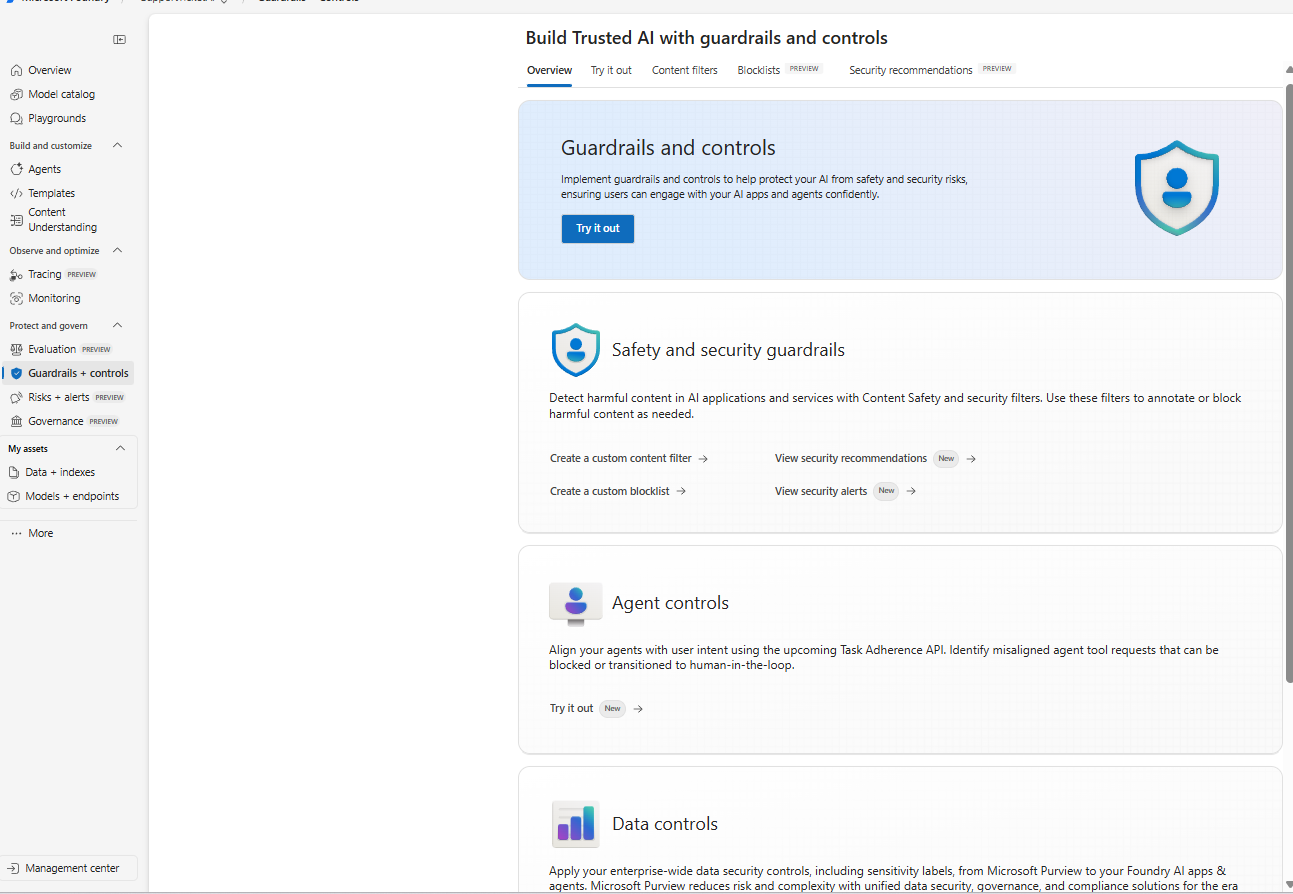
The Guardrails & Controls landing page in Azure Foundry with tabs for Try it out, Content filters, Blocklists, and Security recommendations.
What you’re seeing:
The overview introduces the guardrails surface with quick entry points for Safety & security guardrails (content filters, blocklists, alerts) and Agent controls (behavior and tool use governance). Use this page as your starting point to design and test safety policies.

 Tej Pratap
 Ewald Hollestelle
 rsujiraja
 Sathish Veerapandian
 EzCloudInfo